|
 Flippers.com
 Click here to order Parts


|
|||
| site search by freefind |
(If you don't see the Google Translate's "Select Language", then your browser is blocking google translate...so enable googleapis.com)
German Wurlitzer Jukeboxes:
- Models
- Programming the Pricing Computer (Selection & Credit Computer)
- Prep for Shipping
- Parts & Service Manuals (pdf)
- upgrading your CD player
- troubleshooting (chart)
- Self Test (45RPM)
- Service Bulletins
- tonarm reject switch (45RPM models)
- Problems with the CD Sledge assembly - Princess, Rave-On..
- K99 Amplifier problems
- lubrication
- Princess intermittent problems - check ribbon cables
From the notes of John's Jukes Ltd./Flippers.com - Wurlitzer Distributor - from 1989 to 2013 when Wurlitzer Gremany closed...
Deutsche Wurlitzer Jukebox Models by year: (some info from "Wurlitzer Jukeboxes" published by AMR 1988)
1961: Lyric
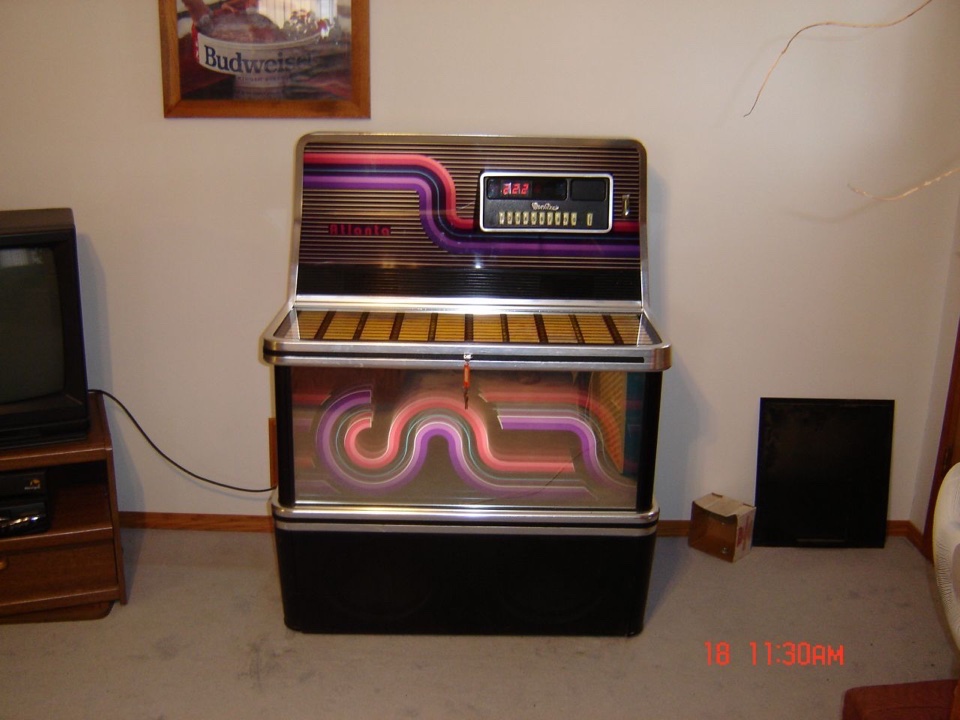
1975: Atlanta 3D, Baltic, Lyric, Tarock, Cabaret, Hideaway
1976: X2, Baltic, Lyric, Cabaret, Hideaway
1977: X5, Niagara, Baltic, Lyric, Tarock, Cabaret, Hideaway
1978: X7, Niagara 2, Niagara E, Baltic 4, Baltic 100, Lyric, Cabarina, Tarock, Cabaret, Hideaway
1979: X200E, X9, Carillon, Atlanta 4, Niagara E, Lyric, Cabarina, Tarock, Hideaway
1980: X200E, X9, Carillon, Atlanta 200E, Atlanta 160, Lyric, Tarock, Cabarina, Hideaway
1981: Atlanta 160, Atlanta 200, Sleeted, Niagara E, Cabarina, Tarock, Hideaway
1982: Estrella, Niagara 5, Cabarina, Fuego 3D, Tele-Disc, Hideaway
1983: Caravelle, Barcarole, Fuego 3D, Tele-Disc, Hideaway
1984: SL700, Diana, Fuego 3D, Caravelle, Tele-Disc, Tarock, Hideaway
1987: One More Time (OMT) Introduction of the reproduction of the 1946-47 1015, but with a "Modern" 100 selection
45RPM record mechanism. (download PDF manual for OMT-45 - 2MB in size) ( OMT-45 Parts Manual ) (PDF of schematic for animated lights for very first OMTs - no bubble tubes!)
1988?: New Orleans (parts manual), Carnegie (parts manual)
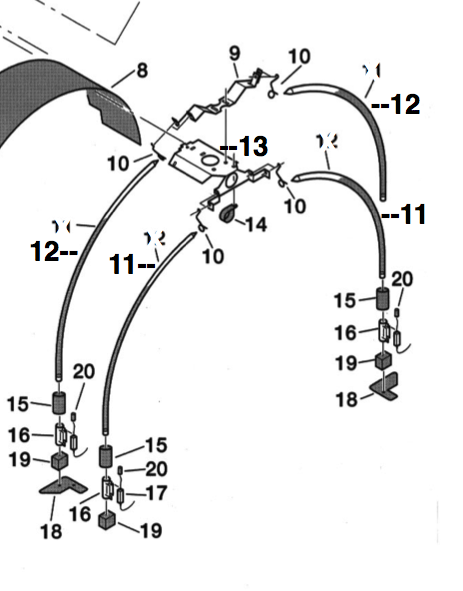
1989?: OMT-CD The new CD bubbler introduced! (download late 1990s PDF manual #22 - does not cover early OMT nor the New Orleans or New York, NY models) (OMT-CD Parts Manual #14 - !!errata!! - Pg 12 has the curved bubble tubes miss-numbered), (revised colour cylinders after serial #4003XXXX)
1990?: New York, NY (Download the parts manual) (Download light wiring and bubble tube wiring diagrams) New York, NY uses the
same manual as the OMT-CD of the early 90s.
1995?: Elvis model OMT-CD
1998?: Rave-On - Owners manual with troubleshooting
1998?: Princess - Operators field service with troubleshooting
2005: OMT I-Pod
2006: Wurlitzer 2100 Nostalgia
2007: Wurlitzer Peacock Replica
2013: Factory closes...
Notes on earlier machines:
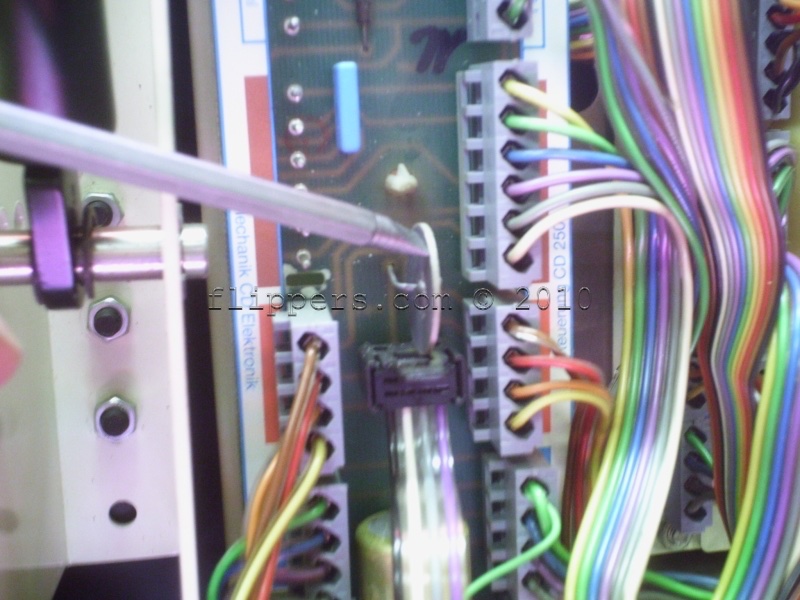
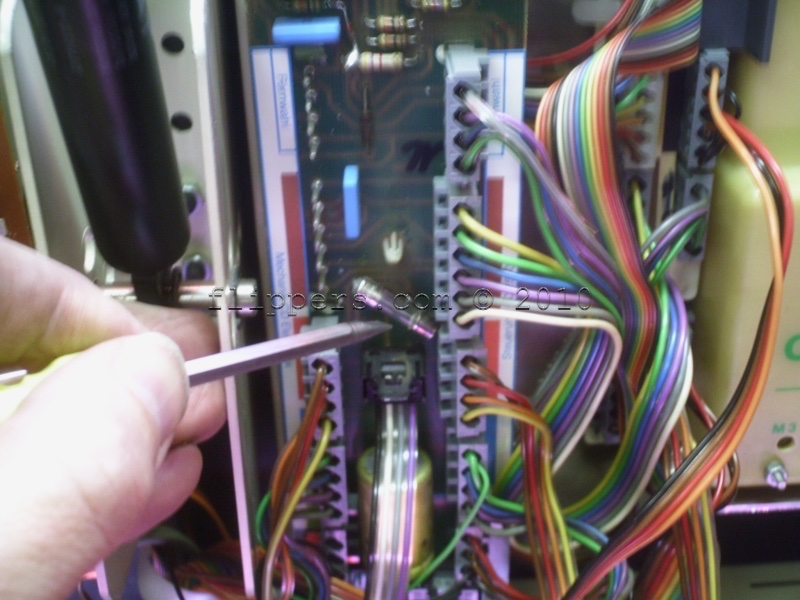
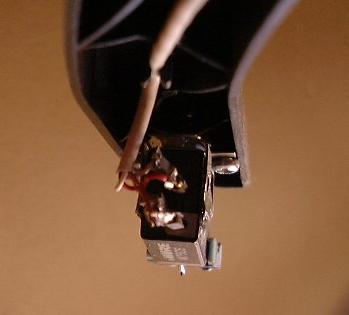
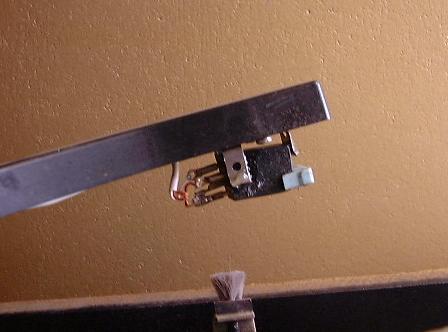
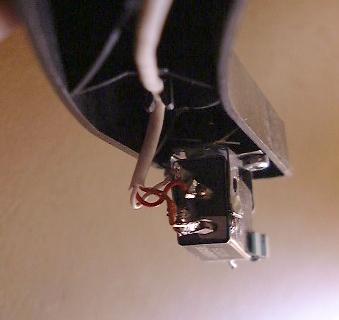
| OMT-45 Cartridge installation: Here are some pictures of the correct wiring for a 45RPM cartridge as used in Wurlitzer Vinyl jukeboxes. |
||
   |
||
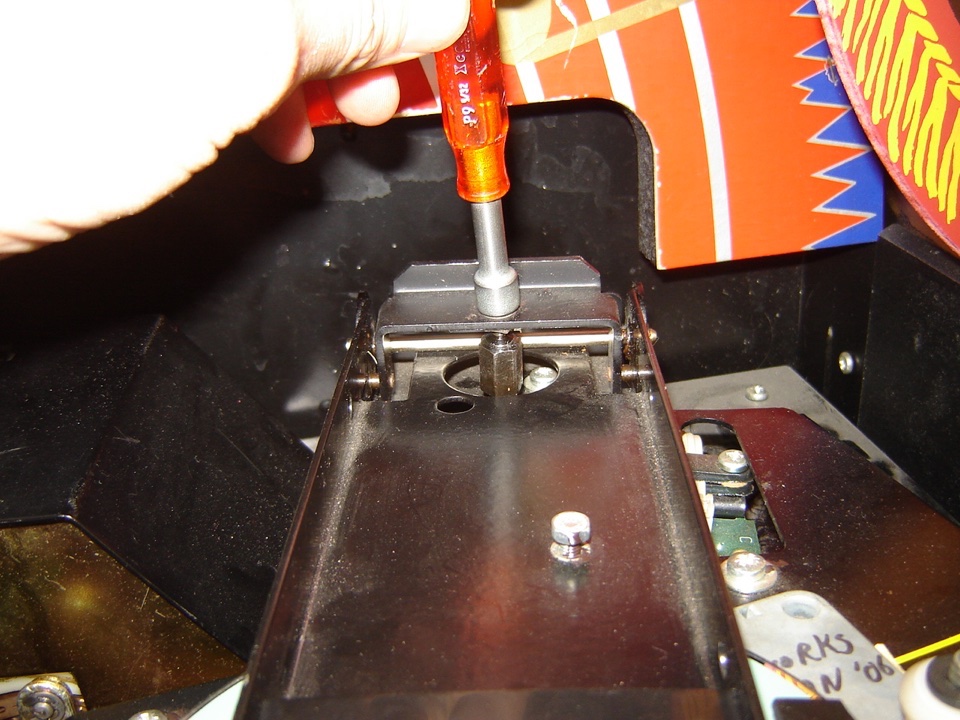
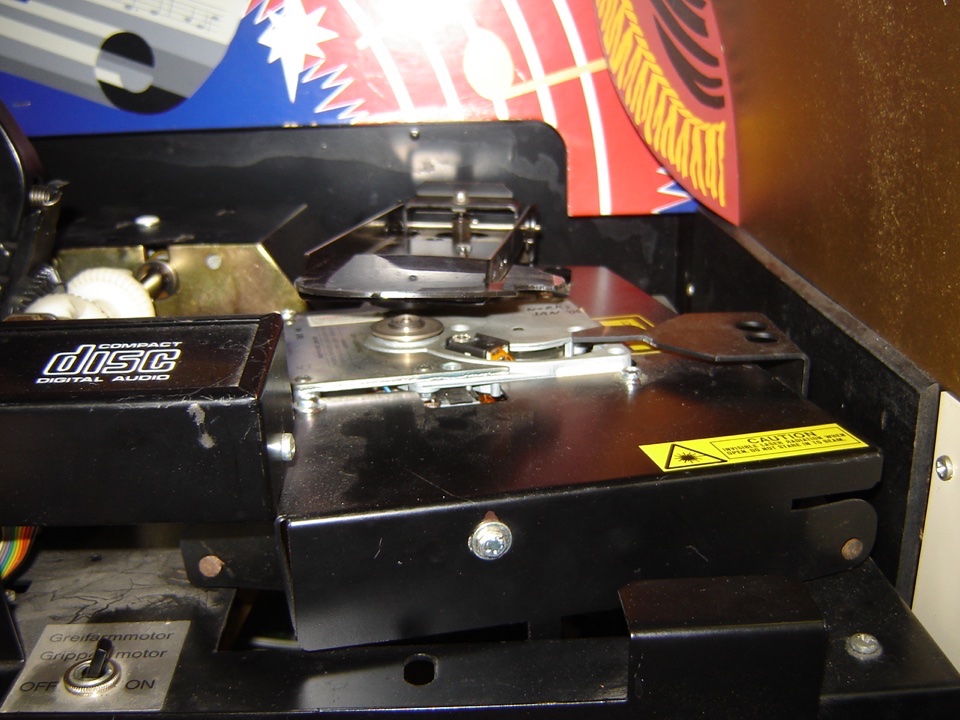
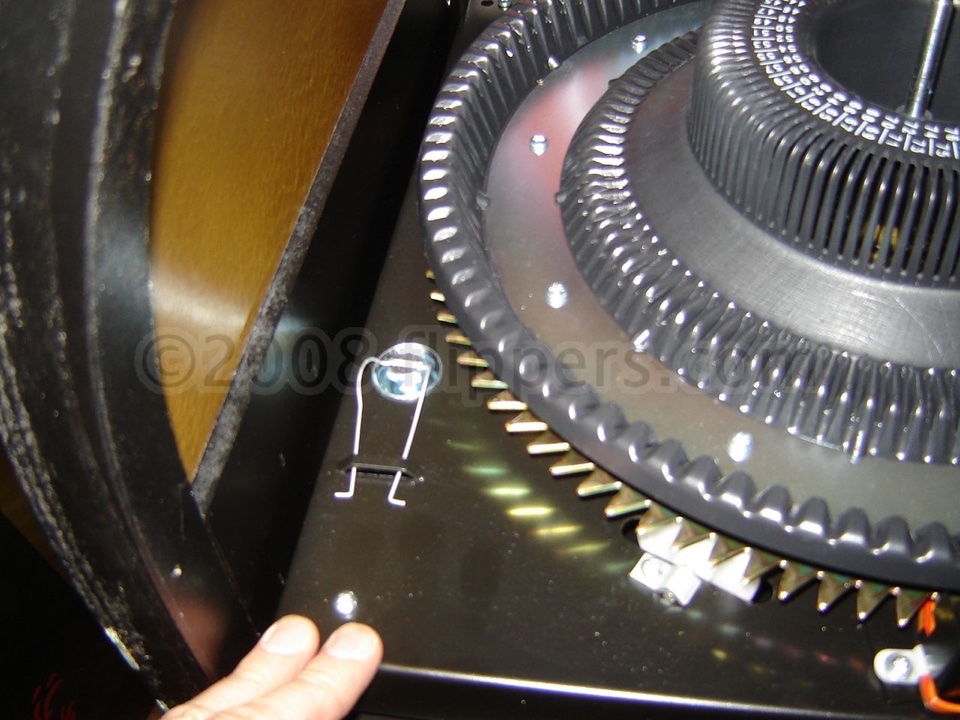
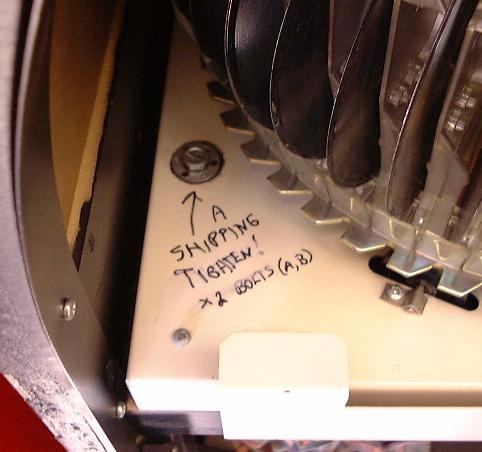
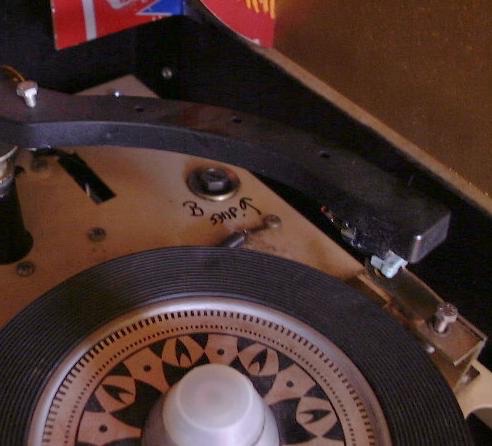
| Shipping a Wurlitzer Jukebox: Shipping bolt locations for German Wurlitzer jukeboxes both 45 and CD If you have no shipping bolts we offer our version for sale - click here! |
||
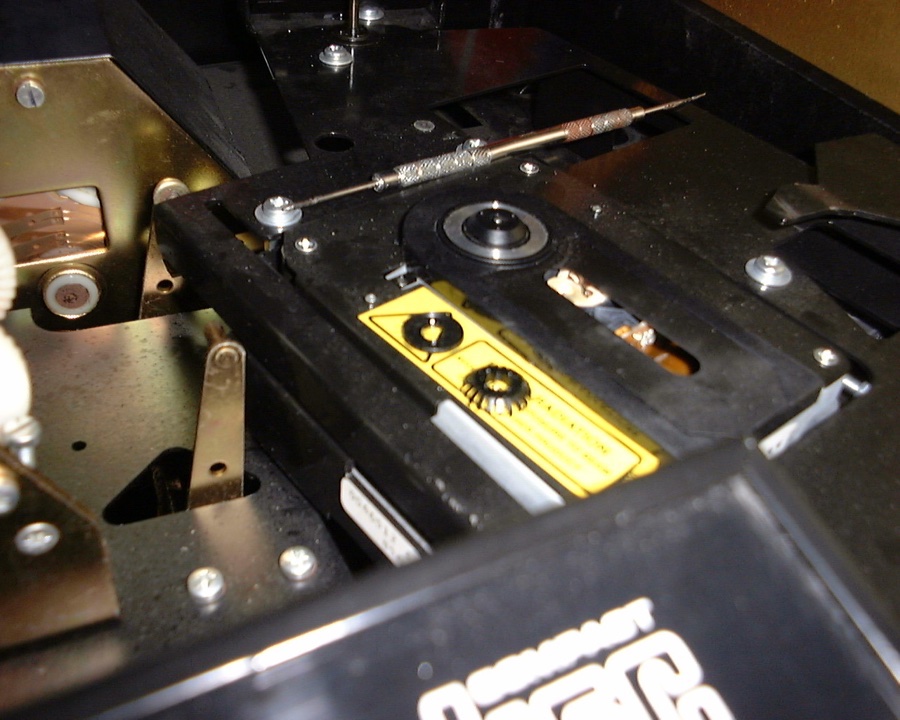
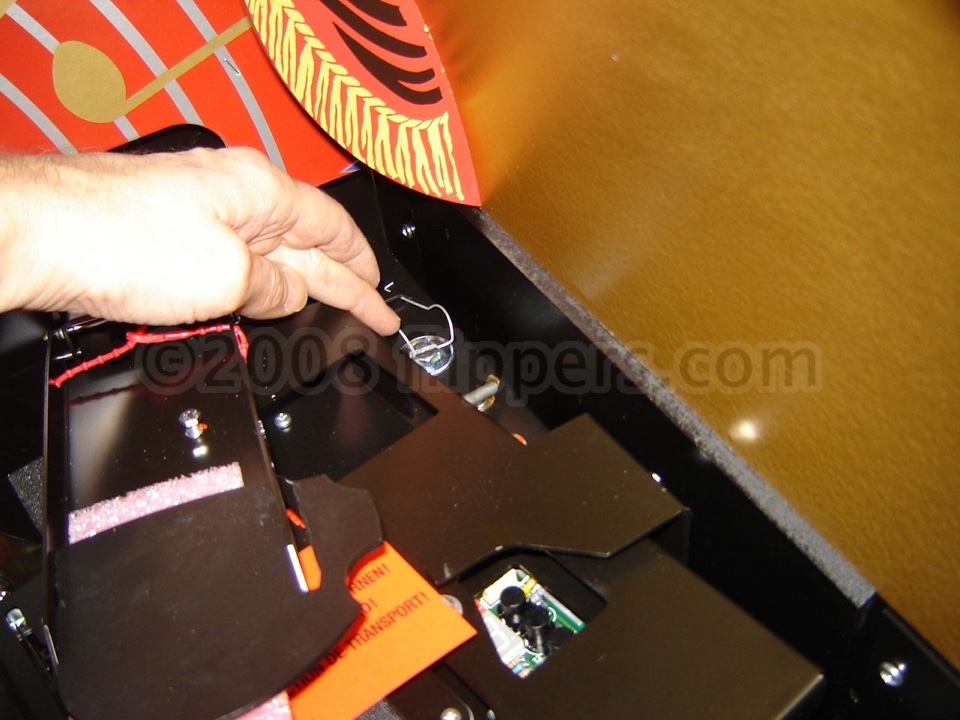
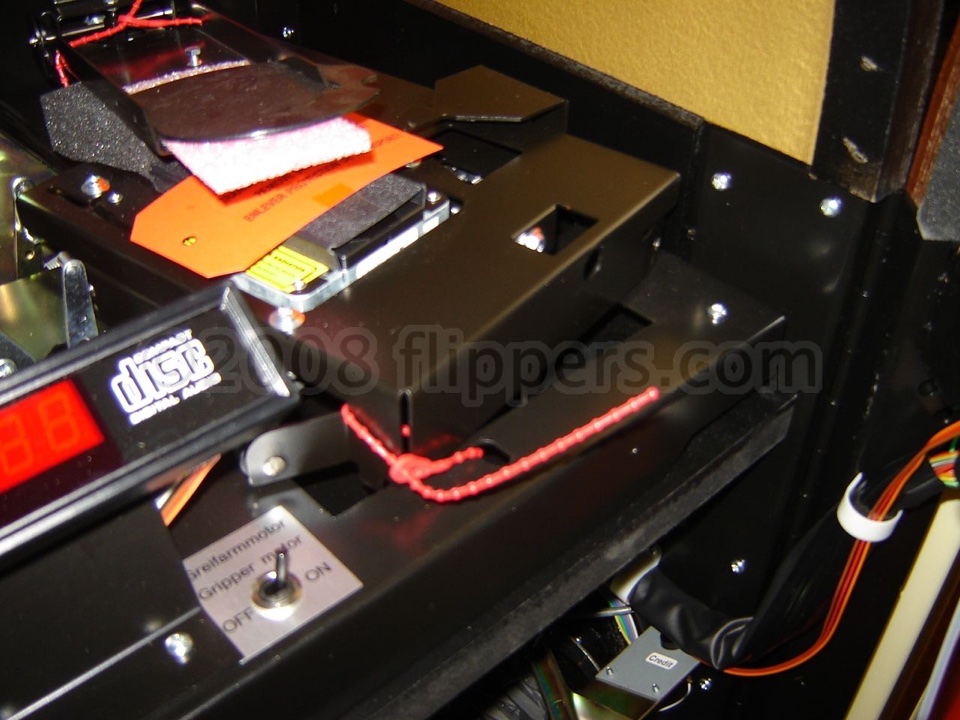 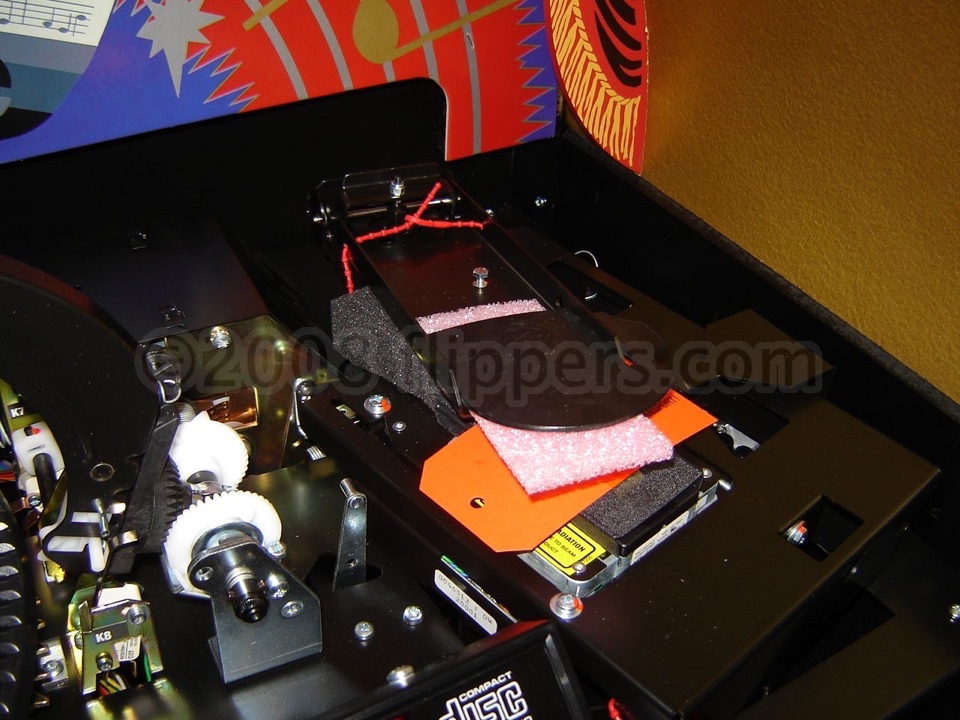 Tie down CD player and clamp arm so they can't flop around...note red strap placement and protective cover over CD-Player lens. |
||
PARTS AND SERVICE MANUALS IN PDF FORMAT  (click on the name of your machine for the PDF) for
our parts department- please have your serial number included with any correspondence!
Carnegie-CD
New Orleans-CD
New York, NY(parts 4.8mb)
OMT-45/Vinyl records (Turntable parts PDF)
OMT-CDM-4I Operators Manual with troubleshooting guide (Original A3/A4 size shrink to 11 X 17 format doublesided mixed with 8.5 X 11 - inches)
OMT-CD(parts 2.8mb) - note this is mostly for OMTs after serial number 34040766 (1994)
OMT-CD-Pro - 2004 on, Operating manual with troubleshooting
Newer OMT Colour Cylinder parts - after late 1999 (after serial 3911xxxx)
Princess-CD Field Service with troubleshooting, Parts
K99 Amplifier schematics and service manual
---------------------------------------------
Here is a PDF of the procedure (lo-rez 750K higher rez a little further on) to replace the pilasters, bubble tubes or fluorescent lights in a OMT (45 or CD). I have a higher resolution version available (4 MB) for those with a large bandwidth...
Unfortunately the upgrade kit (instructions) to replace your defective CDM3 or CDM4S, with a CD-Pro series player is no longer available.
Identify your player with this PDF.
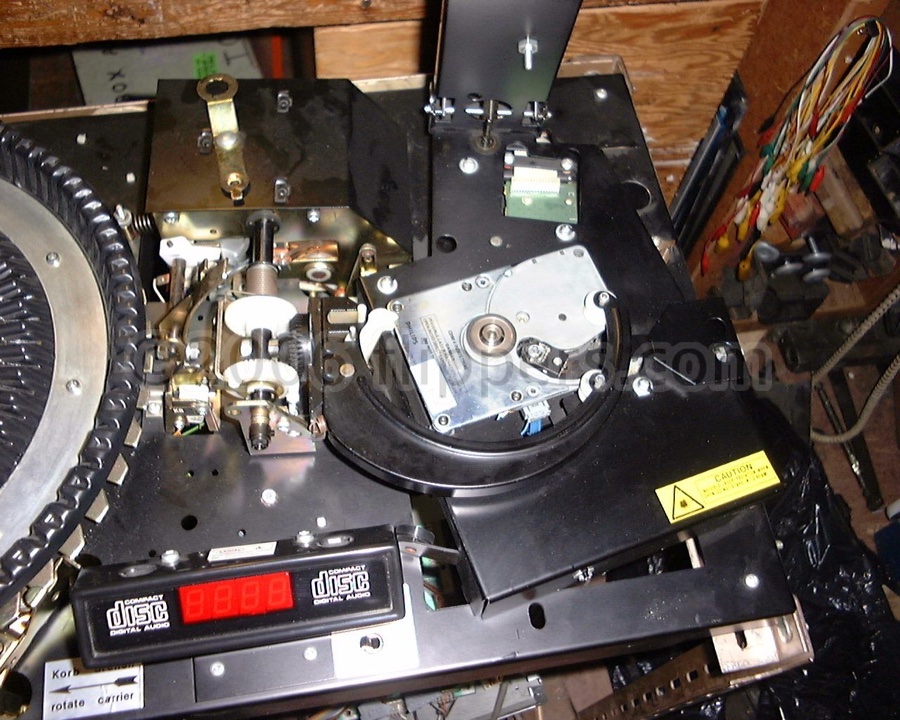
Troubleshooting the German Wurlitzers CDM3, CDM4-I, CDM12, & CD-PRO (pictures of the various CD-players)
Mechanism Service Adjustment documents - these are from the 1986/87 service manual (A4 European size, you will need to reduce them to Letter Size) but cover the OMT series as well - both vinyl and CD: In German, English, and French. These cover adjusting the gripper arm, gearbox, tone arm, carousel, and record player. Very handy! A better copy of the Service Manual is available - email us!
Tips & Techniques:
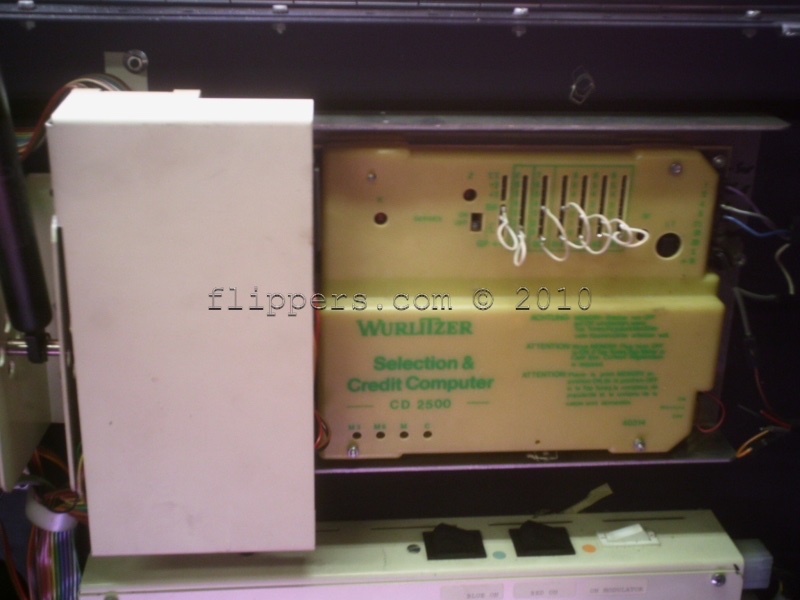
1) Your CDM-3 CD jukebox is not playing CDs (loads CD, spins a couple of times or after about twenty seconds simply returns the CD to the carousel) - check the Thermister under the metal cover just to the left of the Selection & Credit computer. I recommend replacing the Thermister with a 3A (max) fast blow fuse (pigtail leads as it must be soldered in)
1a) Service info for the CDM-3 - Philips CDM-3 test & repair, Wurlitzer TI-MA-102 & notes on CDM-3
2) If your German Wurlitzer CD jukebox is between serial numbers 3106XXXX and 3207XXXX
(June 1991 - July 1992) and you have any of the following problems, then you probably need to
read this PDF.
(German/English/French)
Symptom 1) SCC Control Unit faulty
1. Record carrier turns continuously (and the "Z" - CD Count & "K" - Carriage Home LEDs are flashing correctly on the SC&C).
2. Gripper arm moves continuously, putting the CD on the player and returning it immediately.
3. A selected CD is put on the player, is not played however, and returned to the record carrier after 15 sec (SC&C 40315).
4. A selected CD is placed on the player, the TOC (Table Of Contents red LED under CD-Control keypad goes out)) is read in but the selected CD is not being played (SC&C 40315).
Or Symptom 2) Opto-Coupler interface in CD Control faulty (in combination with SC&C 40315)
1. A selected CD is put on the player. The CD turns continuously fast clockwise or anti-clockwise; no sound appears and after approx. 50 sec. it is returned to the record carrier.
2. A selected CD is placed on the player, SC&C control tries 3 times to read the TOC (relay M6 clicks 7 times). CD is then returned to the record carrier.
Or Symptom 3) EMP faulty (only in models with EMP MMS 111) - Electronic Coin Mechanism(we sold none in Canada)
1. The display indicates credit without coin insertion.
3) OMT-CD Jukebox tosses CDs:
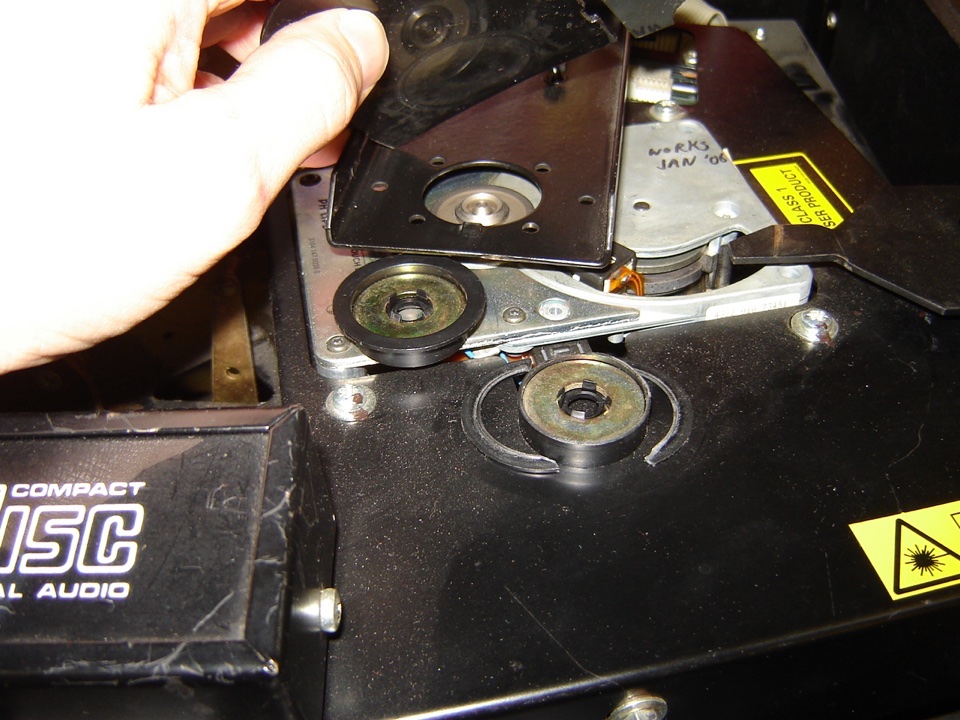
On CDM3, CDM4, and CDM12 models (converted from earlier players) up to serial number 3209xxxx the machine stores the CD Clamp Arm with the magnet clasped to the CD player. This unfortunately leads to premature breakage of the magnetic puck rim and it will sit unevenly on the CD Clamp leading to poor securing of CDs and subsequent tossing of CDs. It looks like simply adjusting the Clamp Arm Height (rear) will enable the Clamp Arm to sit above the player when at rest, saving the puck. I do suspect that the newer Clamp Arm Lift assembly is also required. Picture of new and old puck and where they are!
3a) OMT-45 or OMT-CD Jukebox tosses records:
Another problem is when either the oils and grease have dried up causing the gripper arm to be sluggish in operation,or the gripper claw is cracked or has a problem. Here is a short video showing the proper speed of the gripper arm cycle.
3b) OMT-45 or -CD takes too long to cycle and you get an error number:
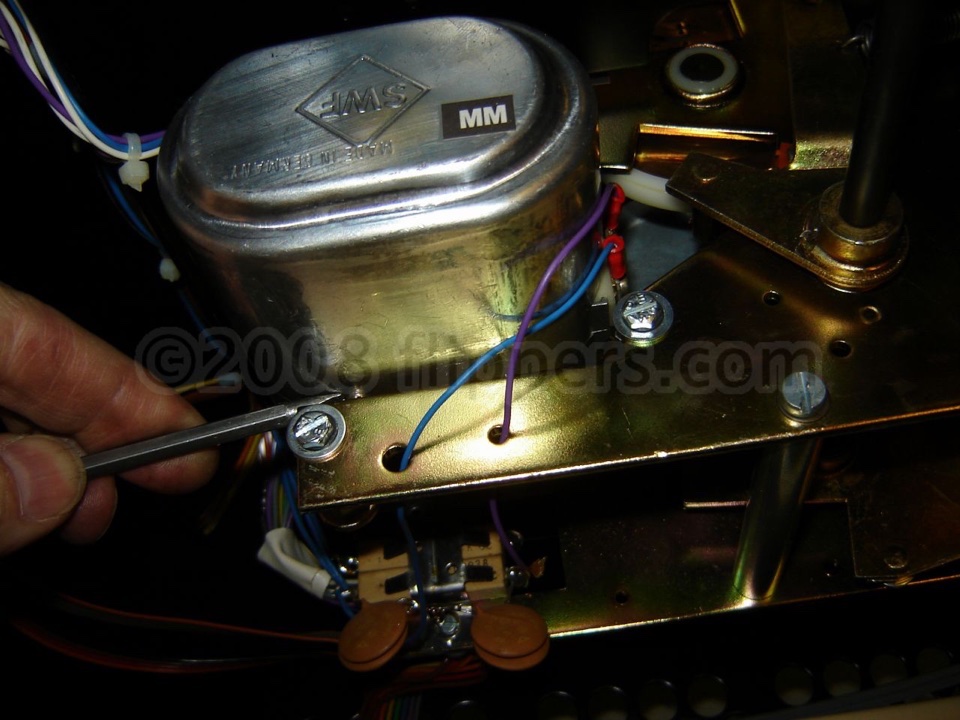
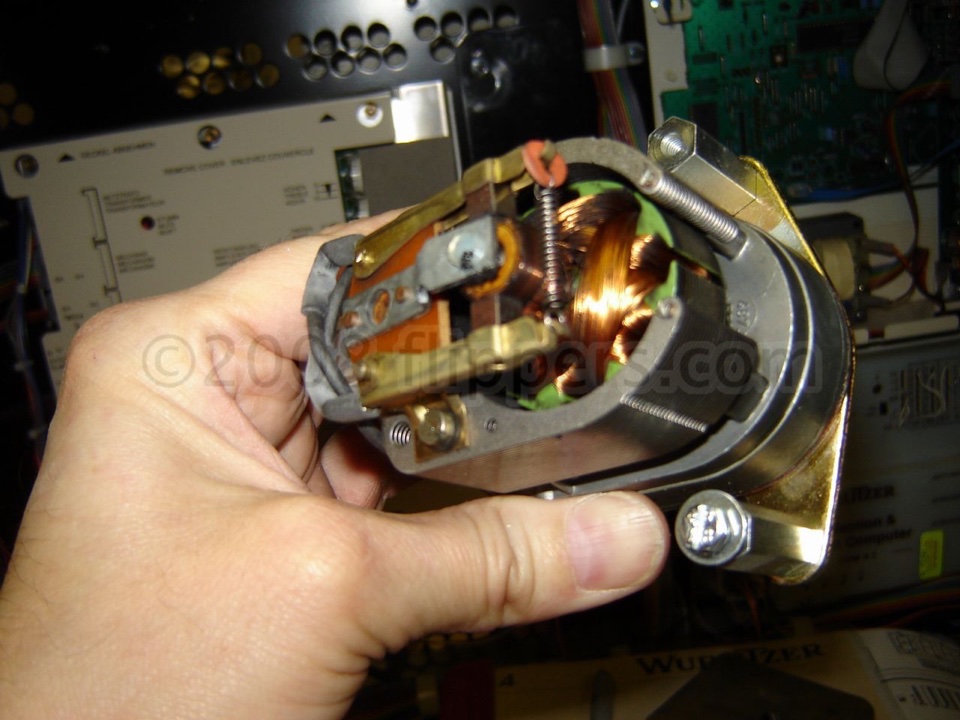
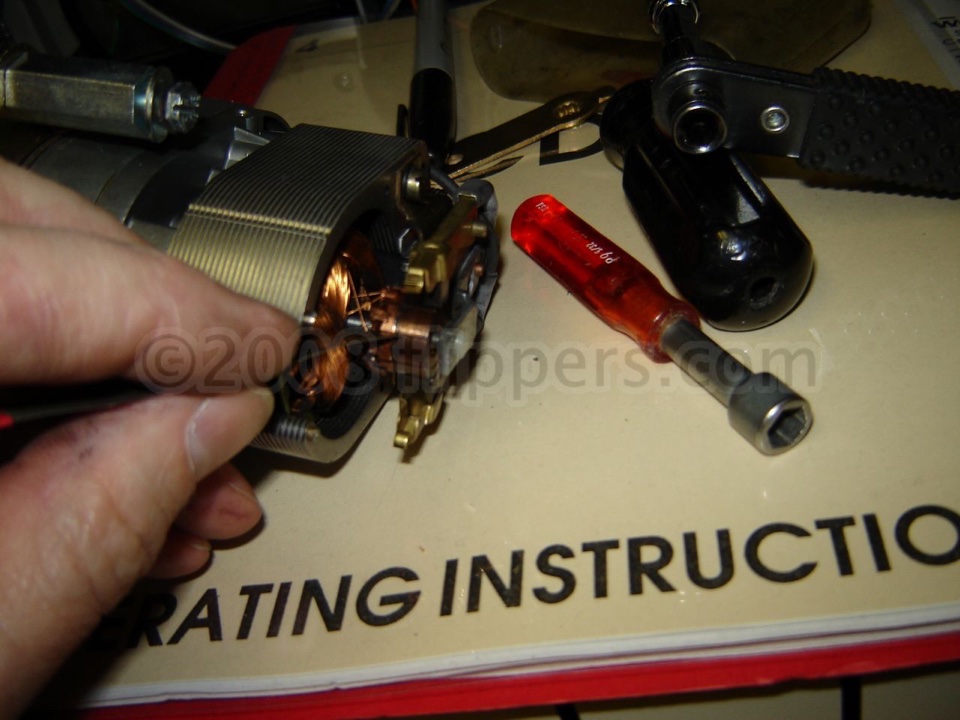
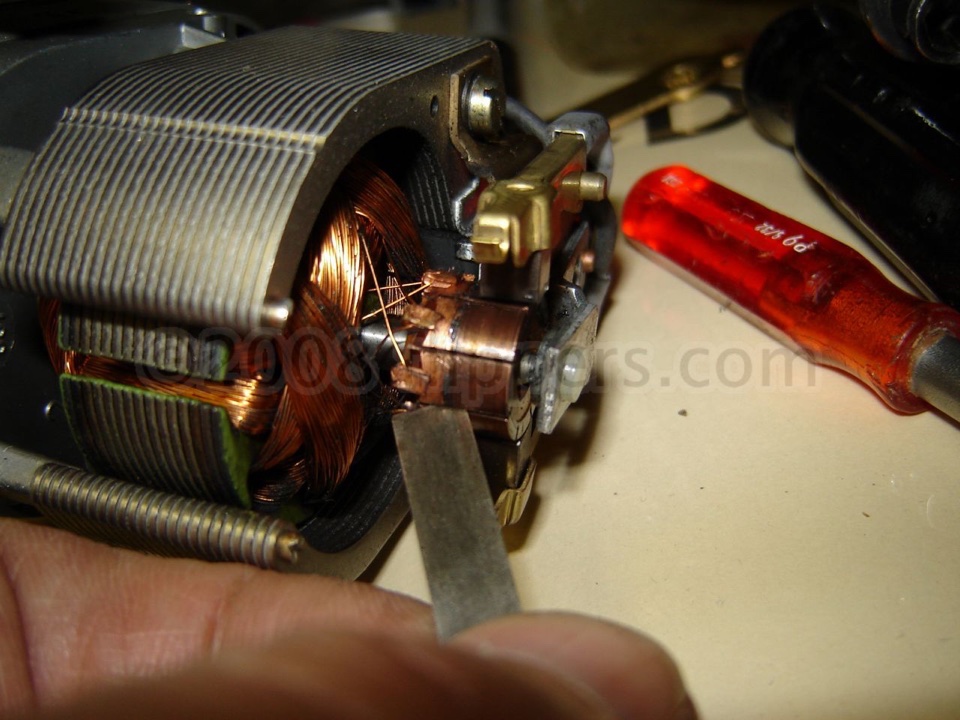
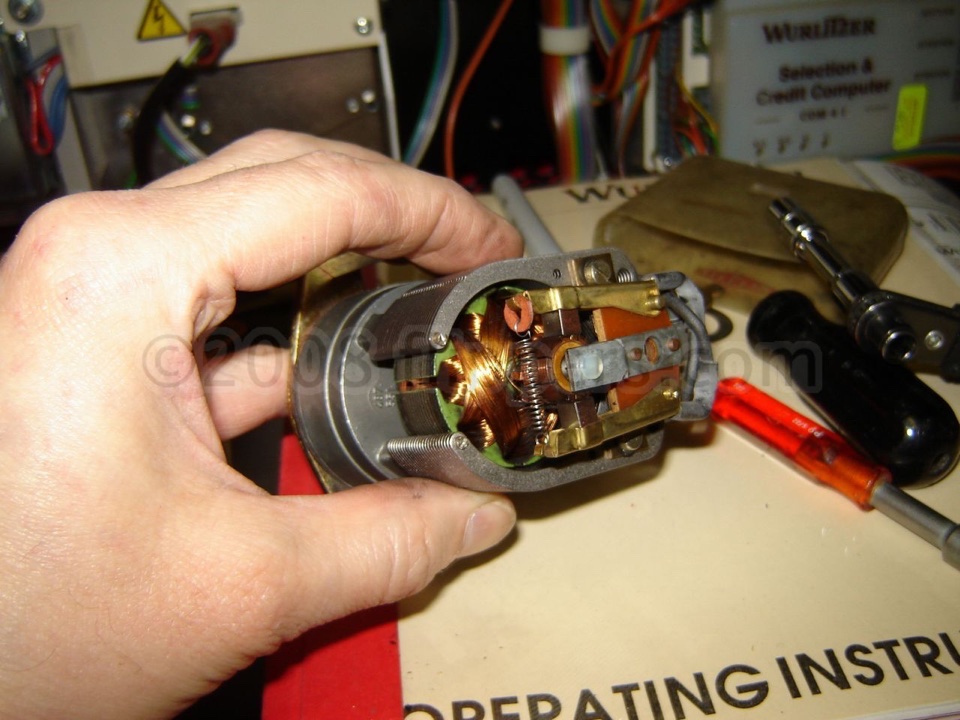
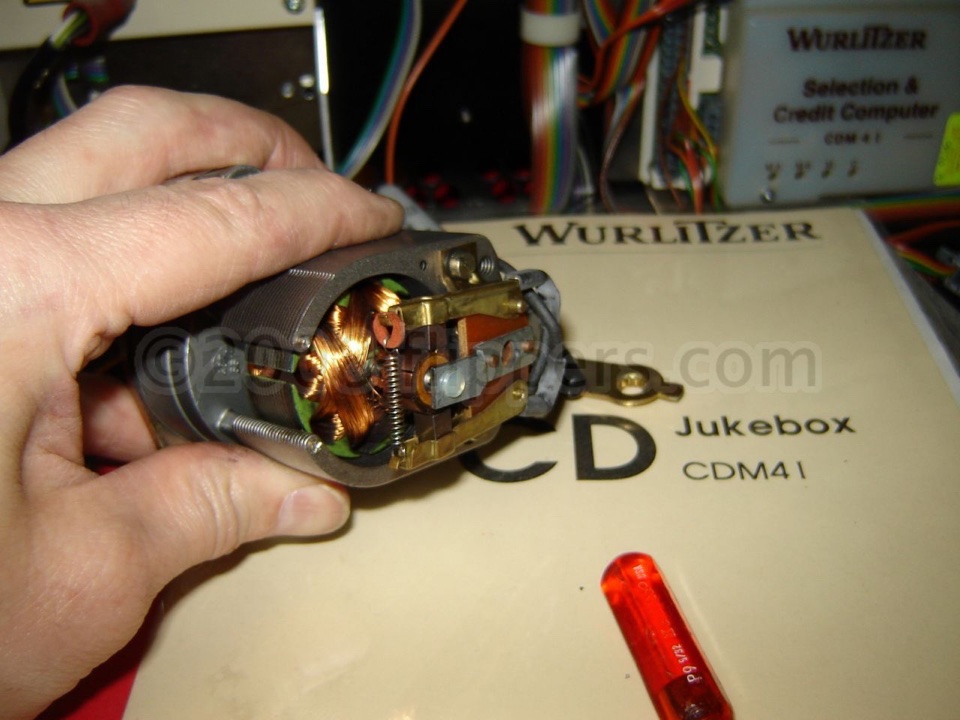
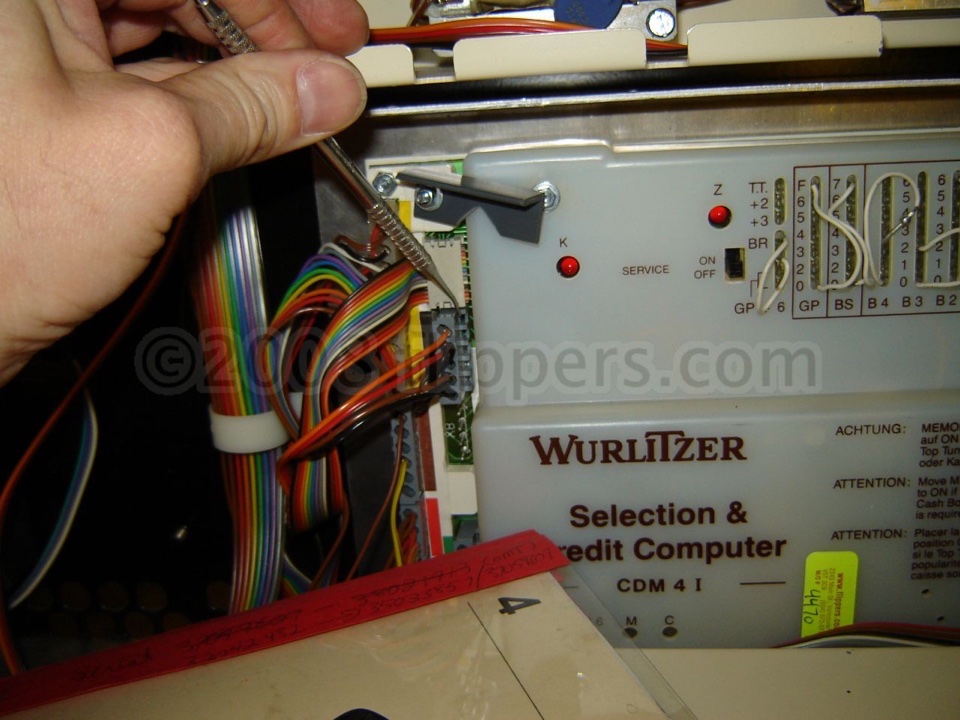
Here is a short video showing the proper speed of the gripper arm cycle. When the gripper arm motor is too slow it can be either lubrication or a fouled up armature inside the motor itself. Here are some pictures on fixing the armature by cleaning the gaps with a thin metal strip (or plastic) that fits snuggly in the slots of the armature. Cleaning these will bring the motor back to factory
speed.
4) Infra-Red Remote seems to have intermittent problems:
IR Remotes can be confused by some types of "Compact" fluorescent bulbs. So if your jukebox is behaving oddly try turning off any compact fluorescent bulbs in the same room and see if the problem goes away...
5) CDM-12 and early CD-Pro - CD won't centre properly on player. Philips originally used a 'Spider' type of centering disc that was prone to breakage of the tiny fingers. This was replaced with a solid cone (pdf). Recommended update! Replacement cone is available here...
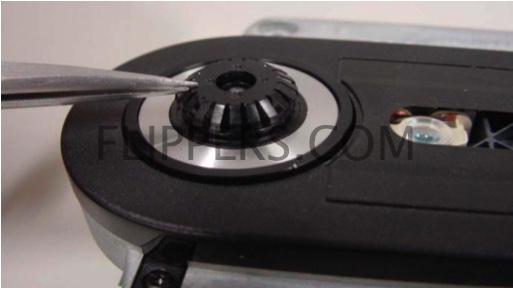
5) Spider Cone removal
6) CDM-12 & CD-Pro - testing the CD player - a PDF from field service manual outlining how to check the player when either on the bench of in the machine while the machine is idle. You will need a magnetic puck to keep the CD in place. If you are testing the player in the machine you might want to setup using the self test to clamp a CD.
7) Record or CD basket/carousel turns endlessly - check that the Index Light (located under the black cover) is lit, if lit, then check that the Z and K LEDs on the Selection & Credit Computer are flashing as follows: K LED flashes once per revolution (home), Z LED flashes continuously (once per CD/45). Theory of K&Z LED operation PDF. You can order the bulb from us here. Youtube video of how to replace light bulb
7a) Record or CD basket/carousel is not turning when a selection is made, but rotates if the Load Record/CD lever is pressed:
Check that switch K7 actuator is pressing the lever of microswitch K7 down (Gripper Arm is over carousel). Test by press and hold actuator down and then making
a selection - if the carousel rotates while K7 is pressed down, then replace the actuator.
7b) Display shows either a flashing "8" or constant alternating Zeros - '0' - '0' - '0' back and forth, and the carousel basket may be turning:
The alternating zeros are displayed because the SCC thinks the carrier is rotating (whether it actually is or not, it’s just for show purposes). My best diagnosis would be that the relay for the latch solenoid is pulled in, but either not making contact or there is an interruption between there and the latch solenoid (which includes the K7 switch), but the flashing 8 is not present to indicate a defective K7 switch/actuator. Best troubleshooting method:
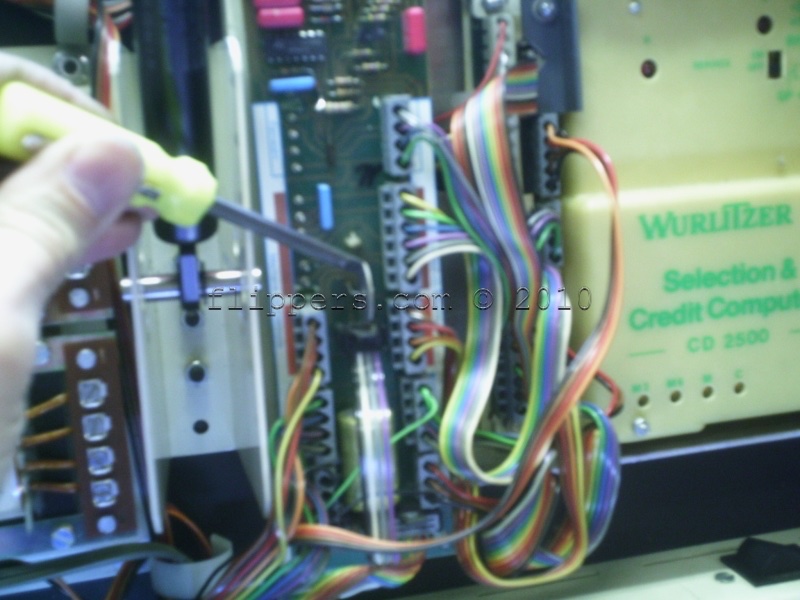
Unplug BLUE (bottom left - relays - in photo) 4-pin plug from SCC (Selection & Credit Computer)
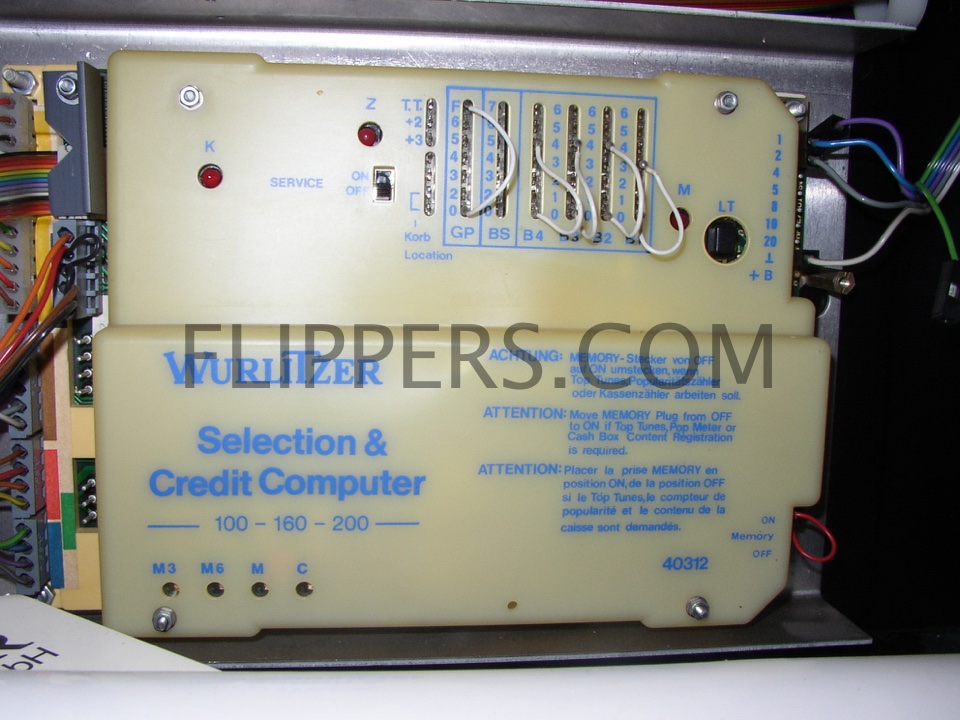
7a) S&CC
Using a pricing jumper wire (white wire with pin soldered on each end) short from Green wire to Blue wire in the removed BLUE plug…gripper motor should run and stop at either end if jumper is removed; no motor operation check motor, motor switch, +30v
If OK, cycle motor to home position over basket …
Using a pricing jumper short from Green to Gray in the removed BLUE plug…Latch solenoid should operate, carrier should rotate, Z should flash; if not check latch solenoid, K7 switch, K8 switch (if latch operates, but motor doesn’t), and -30v source.
If the above tests are OK, replace SCC (computer).
8) Machine is set to Free Play, but nothing happens (Safety Switch/Microswitch K8 not activated) - display shows
normal digits when entered:
On North American Wurlitzers (made in USA - 45RPM) this problem is often caused by someone grabbing the Gripper Bow (the part that picks up the 45s only) and lifts it high enough that the Record Clamp disengages from the Lever that holds the
Record Clamp pin against the Safety Switch (Microswitch K8 on the German models). With the Safety Switch(K8) disengaged the machine will sit forever.
Cure: Lift gripper bow up so that the Record Clamp pin clears the Lever, then push the Lever towards the Magazine enough so that when you let the Gripper Bow back down the pin is engaged,and the plastic pin on the Record Clamp pushes against the lever for the Safety Switch (Microswitch K8).
For German made jukeboxes, make sure the Lever moves freely and quickly, if it is slow/gummed up, then K8 may not activate.
These pictures are from a record (45RPM) version of the German OMT but the CD version is almost identical.
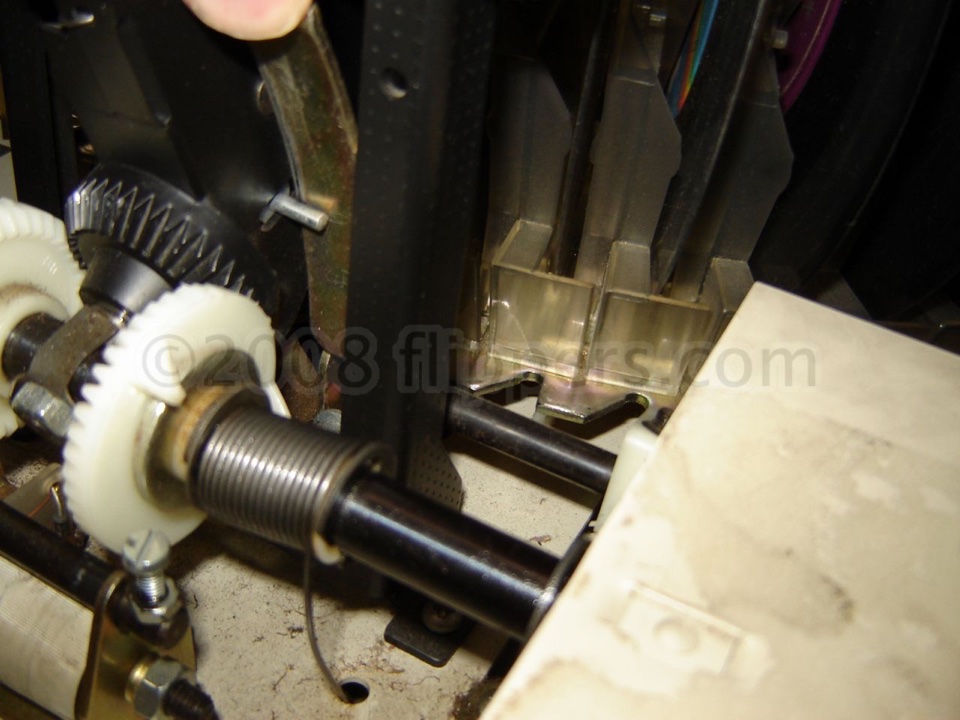
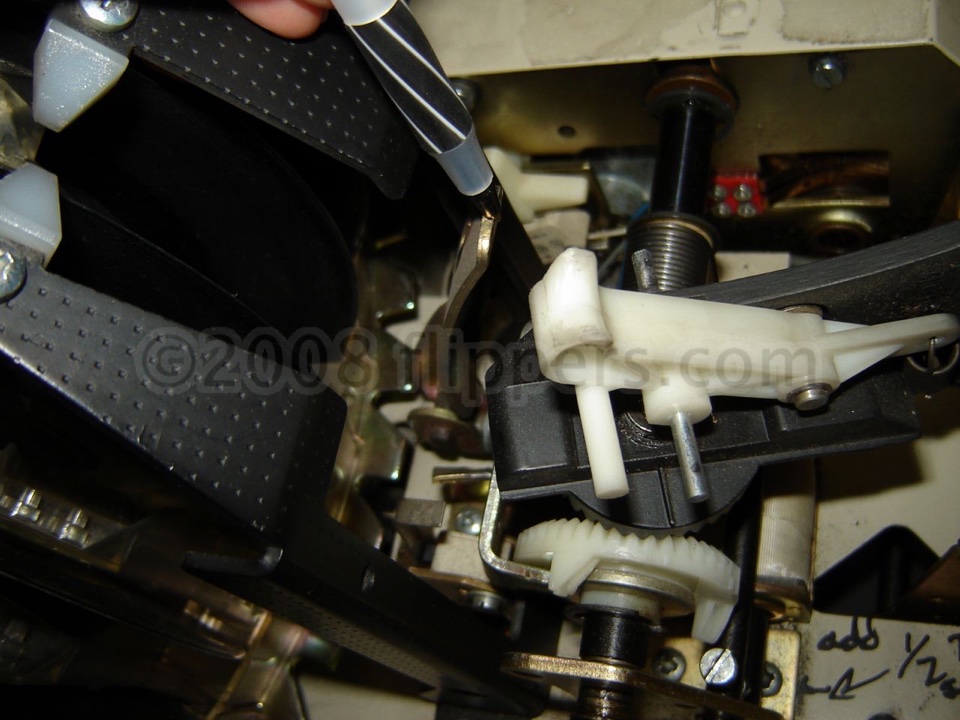
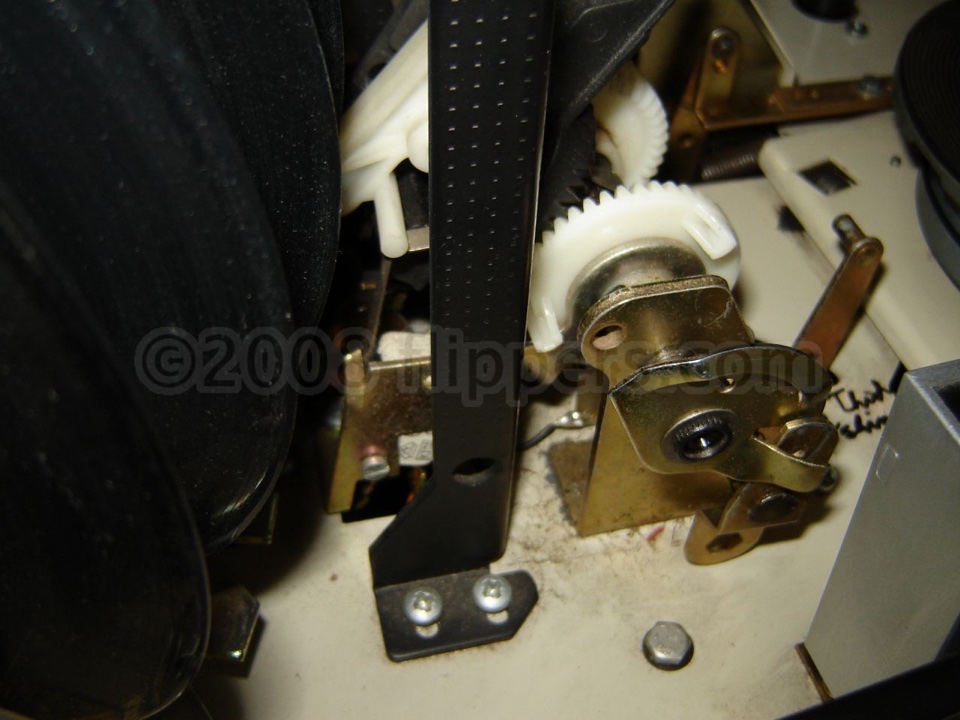
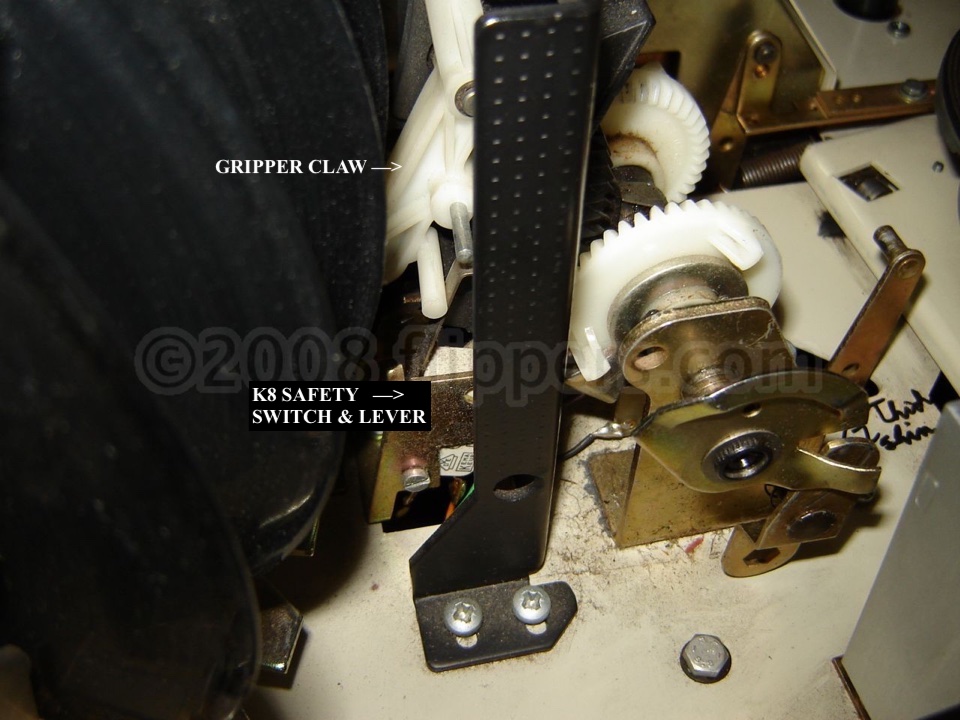
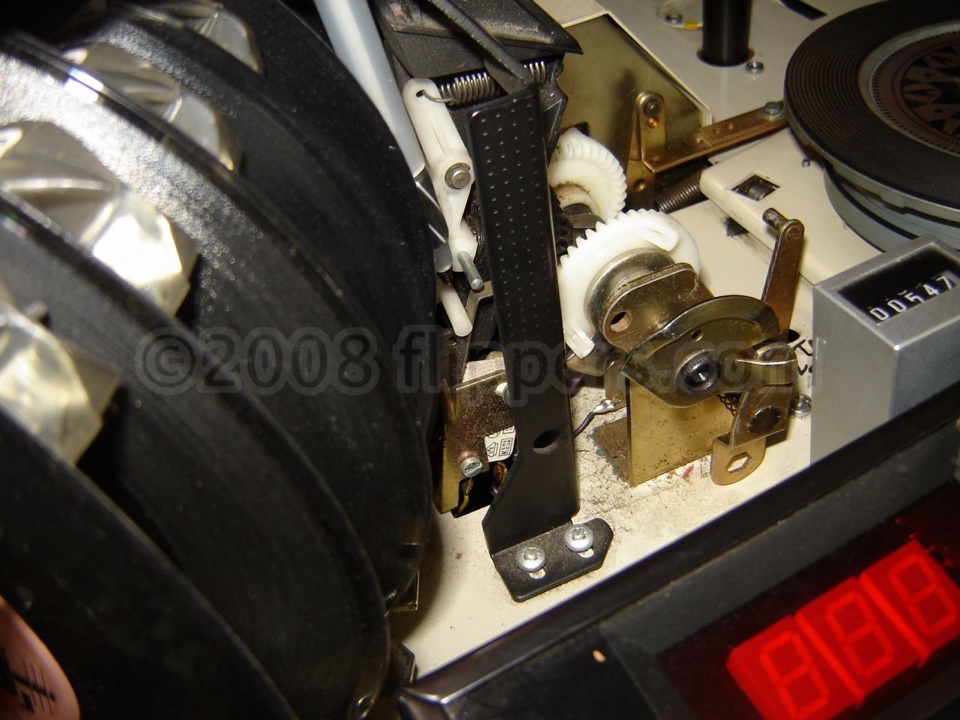
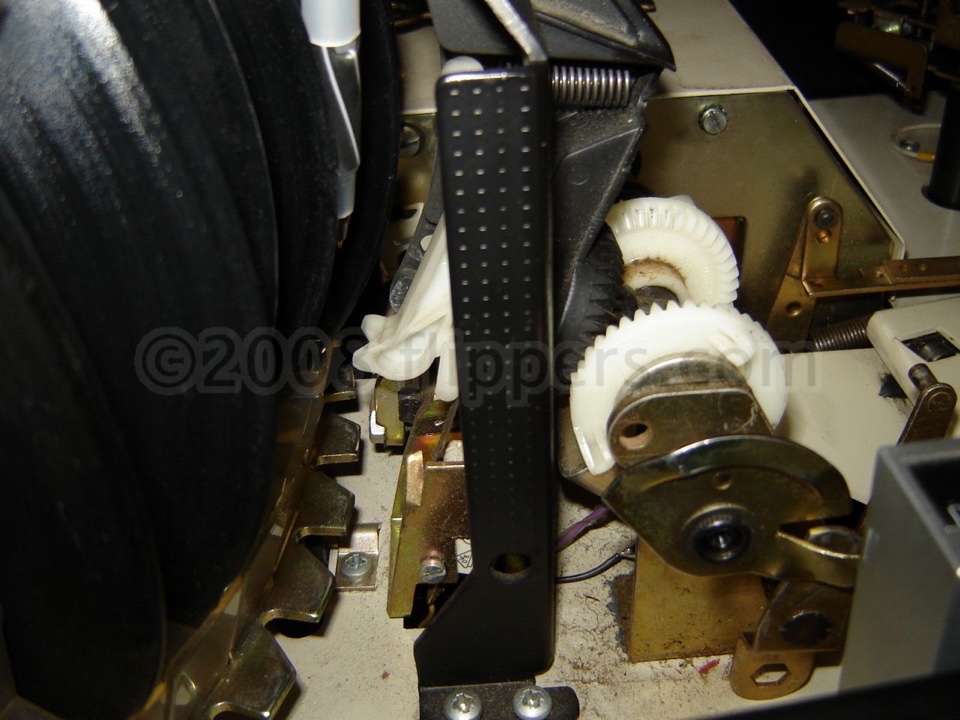
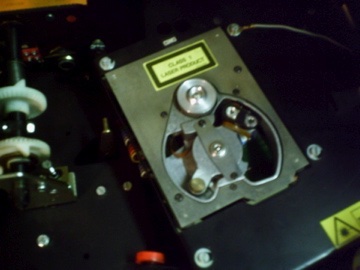
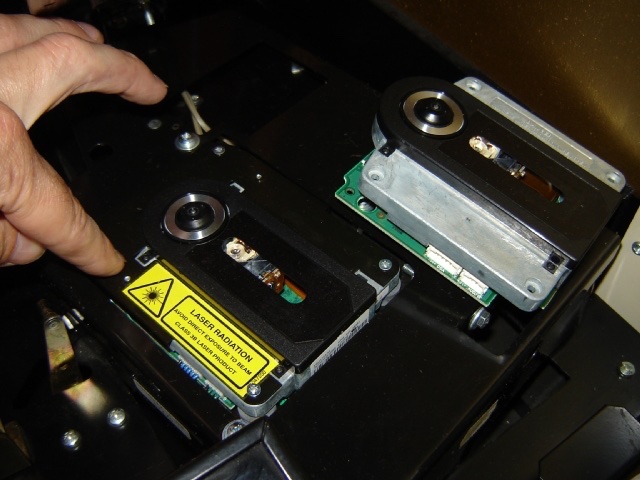
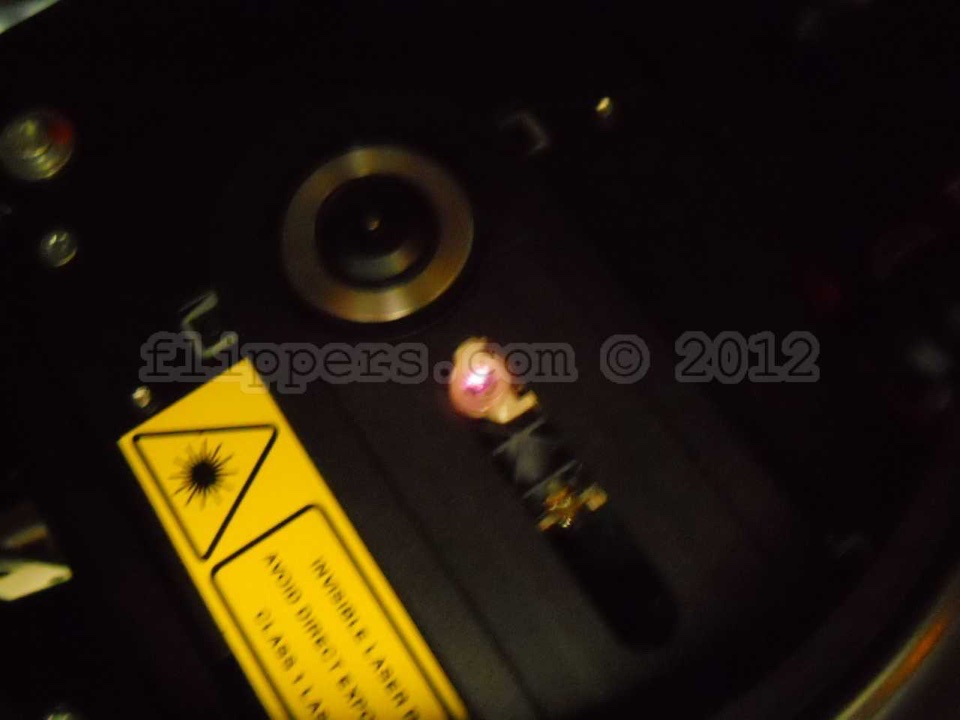
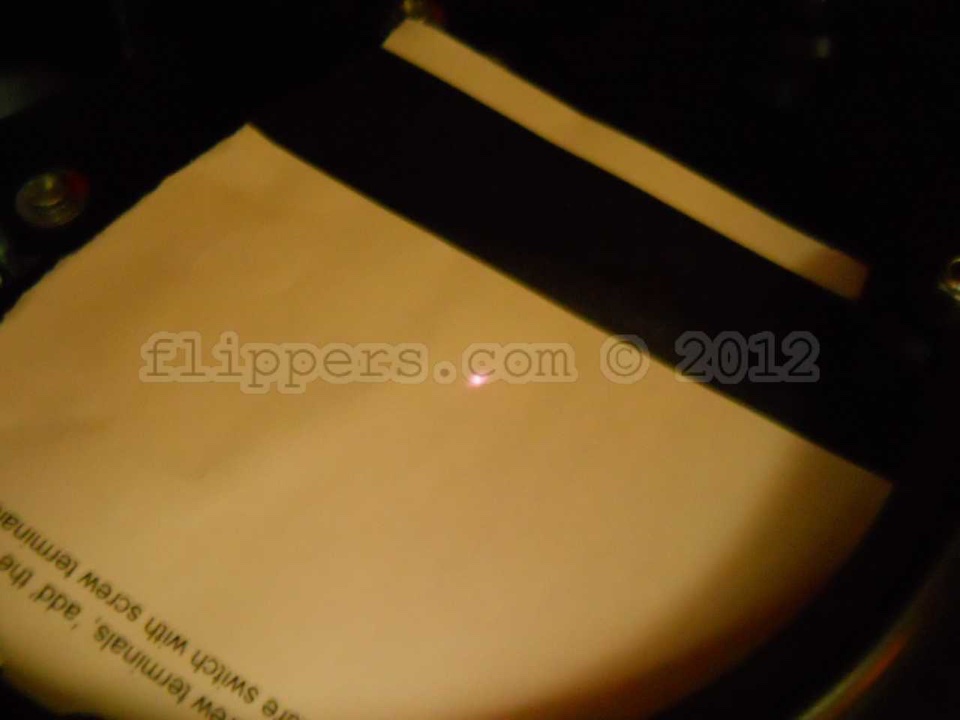
9) Testing if the CD player LASER is working using an older digital camera...
I find you can use an old standard digital camera (I used a Nikon Coolpix for this test - cell phone cameras filter out IR usually) you are able to see on the camera view screen if the laser is lighting up - Infra-Red light.
DO NOT ATTEMPT TO LOOK DIRECTLY AT THE LASER LENS AS IT MAY DAMAGE YOUR EYE(S)!
Make a selection (no CD to be played) and then aim the camera over the lens just off angle slightly and you should see a white light in the middle of the lens flashing slowly (MP4 video clip) on/off/on a few times while it hunts for the (non-existent) CD. No light? Check power to player, etc. The picutre on the left shows the laser glowing, the picture on the right shows the laser lighting up a thin peice of paper laid over the lens (click on images for bigger pictures).
TROUBLE SHOOTING CHART for OMT (One More Time) jukeboxes (edited text below)
CONTENTS
CHAPTER I.   Failures with the illumination, display and power system generally.
             1. Symptoms: No light, phonograph not working at all.
                          Blown primary fuse, defective power switch, or problem with
                          line cord (damaged cord or plug).
	     2. Symptoms: Illumination does not light. Phonograph otherwise works.
	     3. Symptoms: Bubble tubes do not work, colour tubes do not rotate, lamp
	                  24V does not light.
	     4. Symptoms: Digital display remains dark, phonograph otherwise works.
        4a. Symptoms: Bubble tubes & lights work, carousel not rotating, display remains
                      dark - Check RESET capacitor 22 (220/16V) is not shorted.
	     5. Symptoms: Digital display shows non-sense figures; phonograph otherwise works.
	     6. Symptoms: Digital display shows incomplete figures (missing segment).
	                  The fault is the same with all four digits.
        7. Symptoms: Digital display shows incomplete figures (missing segment).
                     The fault, however, occurs with one (or up to three) of the
                     four digits of display completely off.
	     8. Symptoms: One of the digits of display completely off.
        9. Symptoms: Digital display shows "4" and machine is unresponsive to key-pad.
        10. Symptoms: Display shows "8" Check for correct operation of Microswitch K7


CHAPTER II:  Fuses. Which one controls what circuit?


CHAPTER III: Faults with the coin system. The Phonograph, however, operates
	     normally with free credit established with the jumper in the column GP
	     at SCC unit (0-F).The function of the coin system can be checked by
	     observing the LED-light "M" at the Selection & Credit Computer- this should
        be off normally.

	     1. Symptoms: Coins rejected as bad ones.
	     2. Symptoms: Wrong credits (or none) with one type of coin.
	     3. Symptoms: Permanent credit, display shows 0001 permanently, free
	                  selections.
	     4. Symptoms: Wrong credits, repetitive or all the time, with credits higher
			  or lower than programmed pricing.
	     5. Symptoms: No credit, coins are properly accepted. Free Play, with GP-
			  jumper 0-F still possible.
             6. Symptoms: No credit although coins are registered (LED-M lights up).
                          No free play credits even with GP jumper set 0 to F.
             7. Symptoms: No credit, LED - M lights permanently.
        If the "M" LED is is always on then try unplugging the inputs to the right
        starting with 1, then 2, then 4, then ... until the "M" LED goes out. This
        will indicate the problem area. Here is the coin acceptor release, next tip
        it out, then check that the coin switch paddles are all horizontal. The coin
        acceptor can have junk in it that jams a coin paddle down - this will result
        in the "M" LED being constantly lit and the jukebox to ignore coins.


CHAPTER IV:  Faults by selection entry (credit system does work).
             1. Symptoms: No selections possible, digital display blinks with given
                          selection keys are disabled.
             2. Symptoms: No selections; numbers of actuated keys not displayed (only
                          credit is shown).
             3. Symptoms: No selections. In standby the LH digit of display shows a
                          number, but selection keys are disabled.  With insertion of
                          further coins the new credit is displayed properly.
             4. Symptoms: No response from one key (or some).
             5. Symptoms: The CD played is not the one selected. The selection was
                          properly displayed, the according track plays, too.
             6. Symptoms: After power up a track or more are played without a
                          selection.
             7. Symptoms: The CD played is the one selected, however, not the
                          selected track.
             8. Symptoms: The selected CD will not be played, the CD carrier is rotating
                          permanently.
             9. Symptoms: The selected CD is placed on the turntable, but it is not
                          playing. Turntable motor is not moving on. TOC-LED is not
                          lighting. Wurlitzer Service Module if connected is dark.
                          After six picks of M6 the CD is returned to carrier. Caution!
                          Fault 5
            10. Symptoms: The selected CD is placed on turntable, but not played.
                          Turntable motor is moving on. TOC-LED lights and goes
                          dark after motor start (correct characteristics). However after
                          this the SCC unit transmits no track number (rc5-signal).
                          The digi
            11. Symptoms: The selected CD is placed on turntable, but not played.
                          Turntable motor moves not on. TOC-LED lights but doesn't
                          go dark after motor start. Wurlitzer Service Module if
                          connected lights, TRAY OUT-LED changes its state after
                          every pick of relay M6. After every attempt of TOC reading
                          the third point from display left side lights for a short time.
                          After 7 picks of relay M6 the CD moves back to carrier.
            12. Symptoms: The selected CD is placed on the turntable, but only after 7
                          picks of relay M6 the digital display starts to flash (shows
                          the transmitting procedure of track number) and the selected
                          track is played. At a connected Wurlitzer Service Module
            13. Symptoms: The selected CD is placed on the turntable, motor moves on
                          two times for a short time then the track number will be
                          transmitted (digital display flashes). After a new attempt of
                          play the CD is took back into carrier after about 30 seconds.
            14. Symptoms: The selected CD is placed on the turntable and moves on
                          for four short times. Successful TOC reading procedure can
                          watched at the TOC-LED or if connected at the Wurlitzer
                          Service Module. After this the track (rc5 signal) is
                          transmitted to CD-Control
            15. Symptoms: The selected CD is placed on the turntable and moves on
                          for one time but after approximately 35 seconds it will be
                          returned into carrier. The correct TOC read procedure and
                          the transmit of the track number (rc5 signal) are watchable
                          with the TO
            16. Symptoms: The selected CD is placed on the turntable and moves on
                          for three short times after this it will returned into carrier. CD
                          is playable with the buttons 6 and 9 in service level one (and
                          also with the test buttons at CD control unit). At this t
            17. Symptoms: CD is only playing after the fifth turntable motor start. The
                          service level 1 shows "11 " at the digital display. CD play is
                          accessible with the buttons 6 and 9 in the service program
                          level 1.
            18. Symptoms: CD play is suddenly interrupted, by turntable motor suddenly
                          moving backward very fast or it is permanently moving
                          backward.
            19. Symptoms: The selection will be accepted, displayed but after this the
                          phonograph doesn't do anything.
            20. Symptoms: After Power up the first selection is played normally but then
                          the phonograph takes no notice of any input. Only after a
                          next power up the phonograph one CD again.


CHAPTER V:   Repetitive apply of selected or non-selected discs to turntable.
             1. Symptoms: Permanent gripper arm movement (with disc or none) with
                          the disc carrier is not making a rotation between a complete
                          cycle. This continues even if plug blue is disconnected at the
                          SCC unit.
             2. Symptoms: Permanent gripper arm movement; discontinued after plug
                          BLUE is pulled off at the SCC unit.


CHAPTER Vl:   Failures of the record changer after a properly completed selection.

              1. Symptoms: Record carrier permanently rotating, even after plug BLUE is
                           pulled. If a selection is made the gripper arm randomly takes
                           a disc on turntable.
              2. Symptoms: Record carrier permanently rotating. Sometimes the gripper
                           arm randomly takes a disc on turntable, but the CD will not
                           be played. Also by pressing the LT button the gripper arm
                           takes a CD on turntable, the CD will not be played, too. After
                           p 8
              3. Symptoms: Carrier does not start after a properly completed selection.
                           Carrier latch does not open.
              4. Symptoms: Disc carrier does not rotate although the carrier latch opens
                           after a selection.
              5. Symptoms: Gripper arm does not move to take the disc out of the carrier
                           although the selected disc was properly brought forward.
                           After approx. 1 second relay M drops out. The phonograph
                           does not work and takes no notice of any input.
              6. Symptoms: Disc on turntable returned to carrier before play has started.


Chapter VII:  Failures with sound reproduction.

              1. Symptoms: Clicks and bang noises during CD playing, jump over of
                           traces.
              2. Symptoms: CD moves on but no sound.
              3. Symptoms: Strong noise in one or both channels.
              4. Symptoms: Box plays with full loudness, loudness is not regulateable.

CHAPTER VIII: CD not properly returned to carrier.

              1. Symptoms: Gripper arm does not move to bring the disc home.
              2. Symptoms: Returned disc not properly unclasped (not freed) in the
                           carrier.
              3. Symptoms: Disc missing in compartment is found in other compartment
                           or somewhere about the chassis.

              4. Volume levels change when playing a record. Check the following:
              Take a look at the cartridge on the tone arm - perhaps it is loose on its mount and
this could cause sound fluctuations. Also check that the stylus.needle is firmly held by the
cartridge and not loose or falling out. Lastly check the wires on the end of the cartridge - are
they making good connection, are the four cartridge pins grabbed securely?

If all that is good, then try this next - on the volume control box there is a switch - if slid
to one side then the left volume control adjusts both channels together (the right volume control
does nothing), if slide the other way then each volume control adjusts only one channel. Now turn
the right volume control up to a comfortable level and listen for fluctuations. If OK, then turn
right side down and try just the left volume. Any difference?

I am assuming that the records sit flat on the turntable and the rubber ring driving the turntable
is good...Check AVC.


CHAPTER IX:   Hints for trouble shooting
How to call up service program for 45 RPM Record versions of the OMT
-
Set slide switch ’SERVICE’ (1) to ’ON’ on the Selection & Credit Computer (S&CC).
-
Press ’LT’ button (2) once on the Selection & Credit Computer (S&CC).
Button 0 - least popular titles (flops)
Pressing button 0 once indicates the least popular record. Pressing button 0 again shows the record with second lowest number of plays. Press button 0 again shows the third lowest etc..
Press button ’R’ (RESET) to terminate the ’flop’ call.
Button 1 - Top Tunes
Shows the record which was played most frequently followed by the number of plays (Max. 99). If one record was played more often than 99 times, the counter remains in this position. Pressing button 1 again shows the second popular record, etc.
Press button ’R’ RESET to terminate the ’Top Tune’ call.
Button 2 - cash box contents
Shows the cash box contents in basic units; basic units being the value of the lowest coin, resp. coin value of coin output 1 on the S&CC.
Example (lowest coin 25ct): display readout: 0 4 5 = 45 x 25ct = $ 11.25 Press button ’R’ RESET to terminate the ’cash box contents’ call.
Button 3 - clear memory
Press and hold down button 3, then press button ’R’ RESET. All counters are reset to zero.
Button 4 - display check and program number version
When you press button 4 the digital display automatically indicates the number 8 on all three digits. Successively ’Record Playing’, ’Hit of the House’, ’Error’ and ’Credit’ will light and the program version number will appear, e.g. 7.01 or higher.
Button 5 - Playstimulator
The playstimulator is playing a random record automatically after a programmed time period. It is programmable between 1 and 98 minutes.
Button 6 - A-side solenoid
When you press button 6 the display shows 6 - 1, relay M6 of the S&CC and the A-side solenoid should be activated while the display shows 6 - 2.
Button 7 - check of gear box motor
When you press button 7 relay M should be activated and the changer plays the B-side of the record. Display shows 7 - 4.
After the record has been played, it will be returned into the carrier.
Button 8 - check of record carrier
When you press button 8 relay M3 is activated and the record carrier turns as long as button 8 is pressed. The gripper arm must be in rest position. The display shows 8 - 0.
Button 9 - gripper arm position
Press button 9, test of the gripper arm position. Display shows 9 - 0 if the gripper arm is in rest position, 9 - 1 if the gripper arm is in play position.
How to leave the service program
1. Set slide switch ’SERVICE’ to ’OFF on the Selection & Credit Computer (S&CC)’.
1. Press ’LT’ button on the Selection & Credit Computer (S&CC). The record carrier turns to position 101.
CHAPTER X: Hints to the test program of the Philips Control Board (CDM-3 and CDM-4 series)
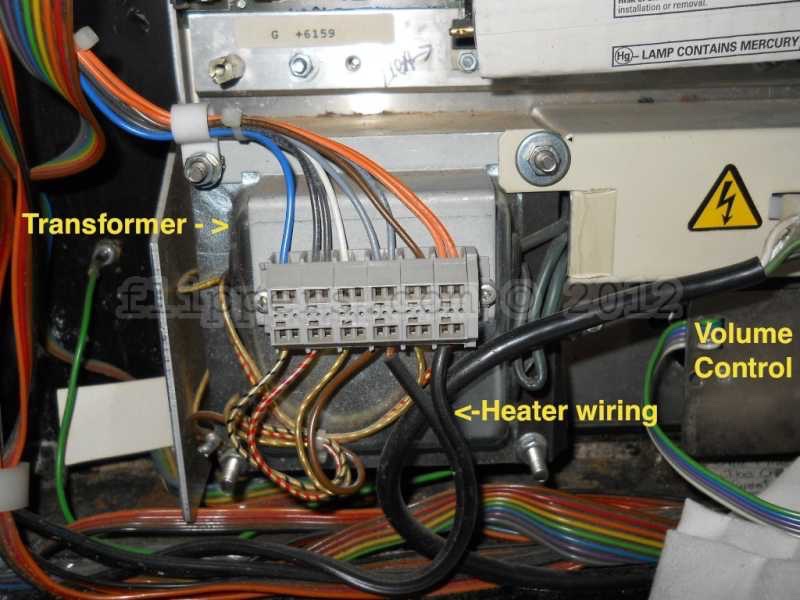
Miscellanious pictures:Early OMTs heater connection to the transformer...
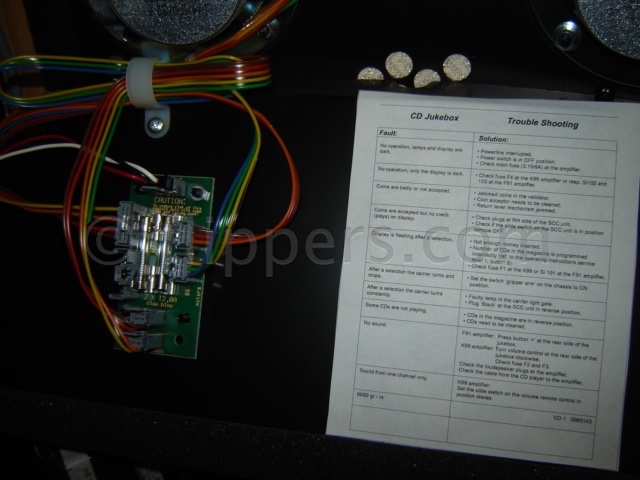
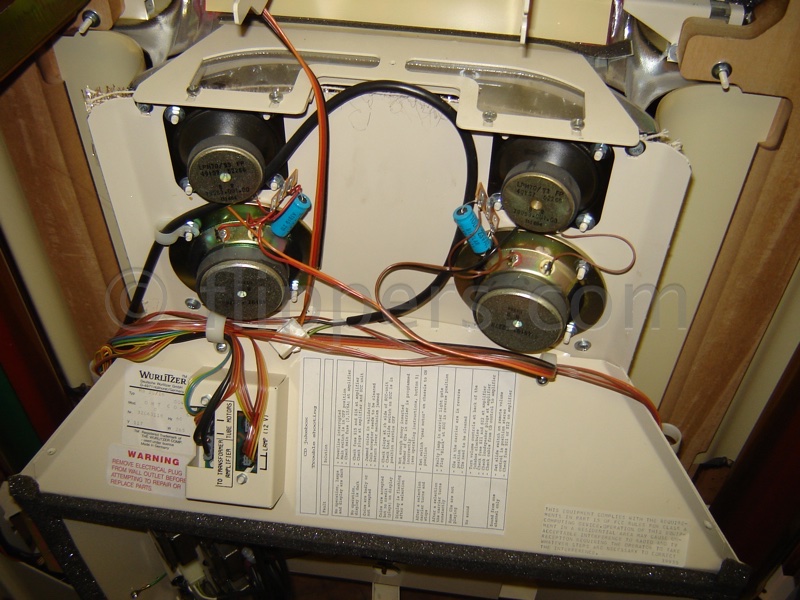
Bubble tubes and colour cylinder motor fuses are here - moounted on the inside of the main front door just below speakers: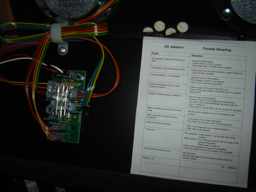
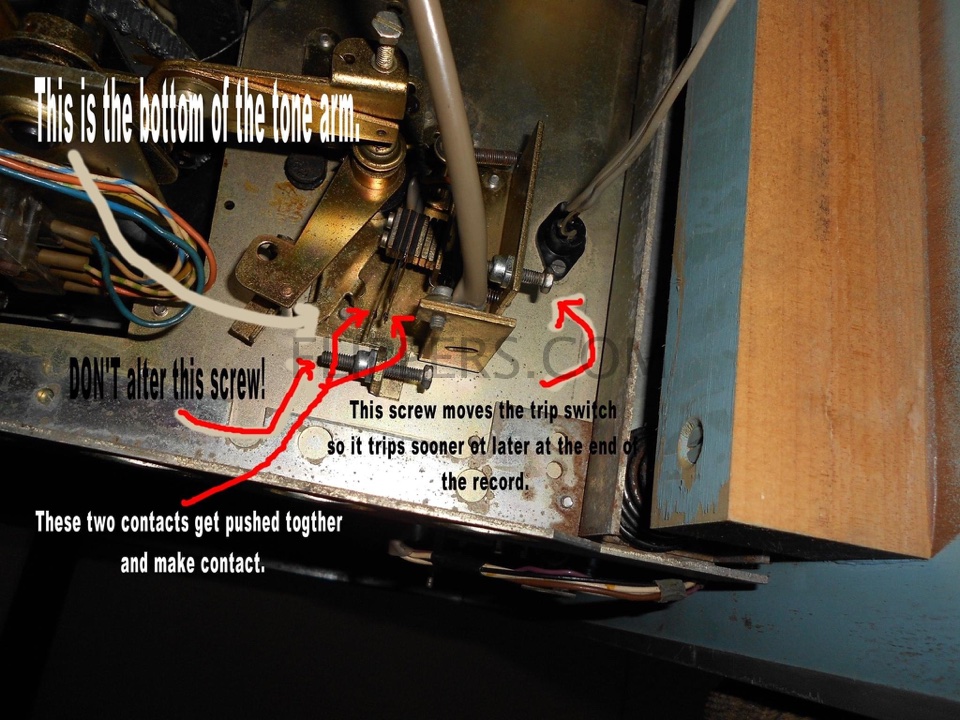
Here is the Cancel/Reject/End of Record Switch for the OMT and other 45RPM German Wurlitzers (courtesy of Dave's Jukebox),
shown from the underside of the mechanism frame: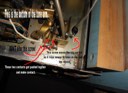
SLEDGE ASSEMBLY REPAIRS - PRINCESS and other models with the one or two Towers of 60 CDs
Problem:
We had two sledge assemblies that wouldn't read their left/right positions correctly in known-to-be-good towers. We have replaced the 42904 PCB with new old stock PCBs with no improvement. Using a good sledge from another Princess in the tower and the sledge performs properly. The gripper assembly (the CD gripper works just fine) approaches the CD slowly and then goes back and forth unless we push the gripper closer to the CD and then it picks it up.
I asked my old friend Dietmar Grau (Deutsche Wurlitzer factory technician) and he said:
The problem with the sledge of the tower mechanism I very well know it. I have repaired, until now, app. 15 of these sledges with the same symptom. At the first one I spend more than 10 hours to find the problem. I lubricated the rollers, cleaned all the parts, oiling the rods as you have done it. But all these procedures were not satisfactory. At least I have replaced the two rods and the problem was solved. I swapped the rods in the next repair immediately and it worked straight away. By the following repair I have polished the two rods with a car polisher and had the same result. They are working until now without problems. No claims from my customers. It must be something on the surface which stops the movement, which I couldn't find out. Wurlitzer has given not any recommendation about lubrication of this sledge.
Problem: No sound, or sound comes and goes at random in a K-99 Amp.
Solution: Turns out the problem was the Zener diode 1ZD (3.3V) on terminal 3 of the 8.3VDC voltage regulator 1IC1 (7805). This was probably shorted pulling the 8.3VDC down to 5VDC, too low for the circuit to work properly.
A 1N4728A (1W 3.3V) should be OK, but I don't have the parts listing for the diode so that is a guess...won't hurt to use a higher wattage zener diode (1.5 to 3W) if the leads fit in the holes.
Thanks to Dietmar of Wurlitzer Germany (Deutsche Wurlitzer factory technician) for another solution!
LubricationWe recommend that you oil/grease your Deutsche Wurlitzer jukebox every two years to prolong it's work life. We use high pressure grease on the gears, and "Zoom-Spout" oil for the motors and pivots. Click here for a PDF of the US Wurlitzer lubrication recommendations that was put out by Sonata for the 1050 (1970s) machine. Essentially the same mechanism as the German machine
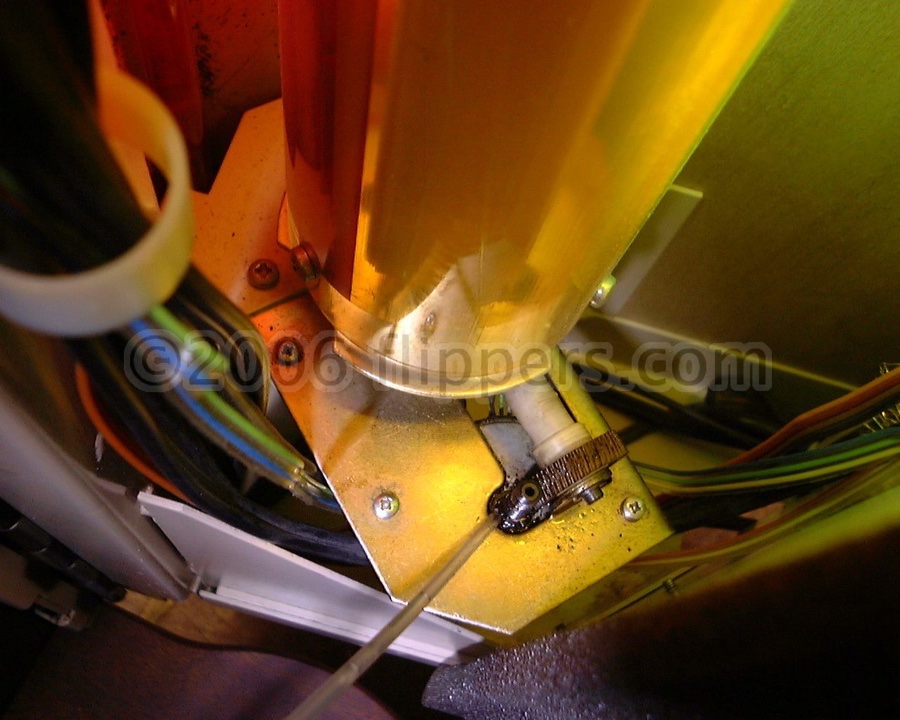 |
A drop or two on the spindle of the two colour cylinder motors | 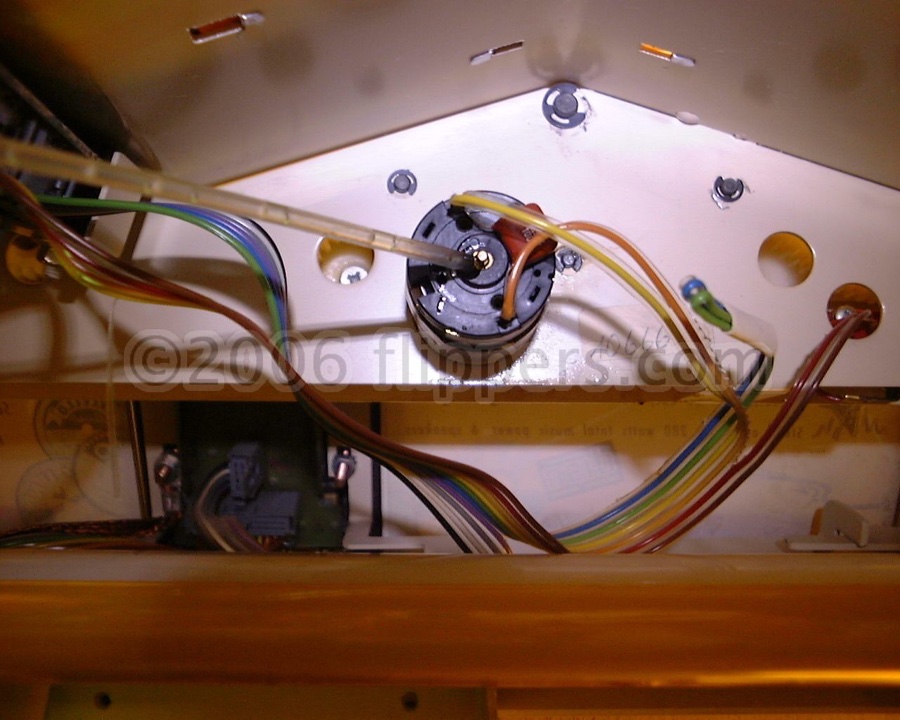 |
A drop of oil on the tail end of the title page motor |
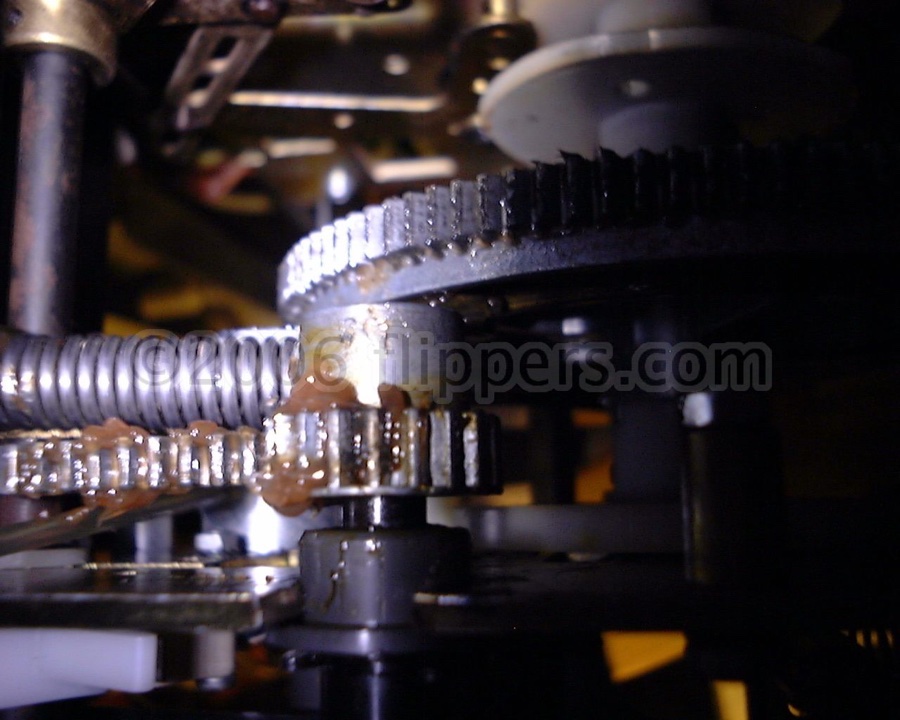 |
Greased gears (a bit too much, wipe the excess off!) | 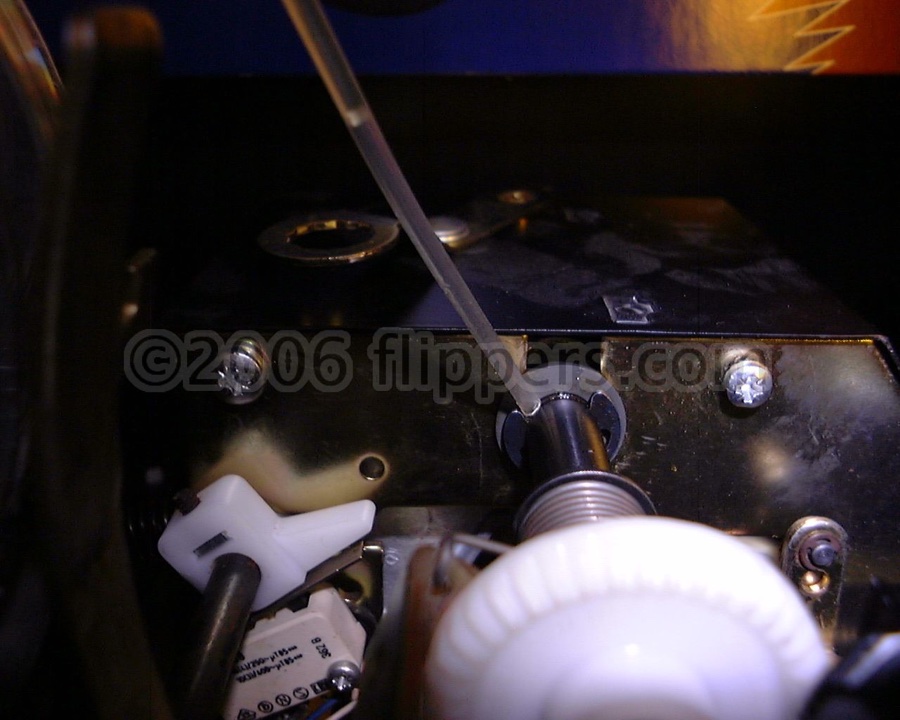 |
Oil the gripper arm drive shaft bushing at the gear box |
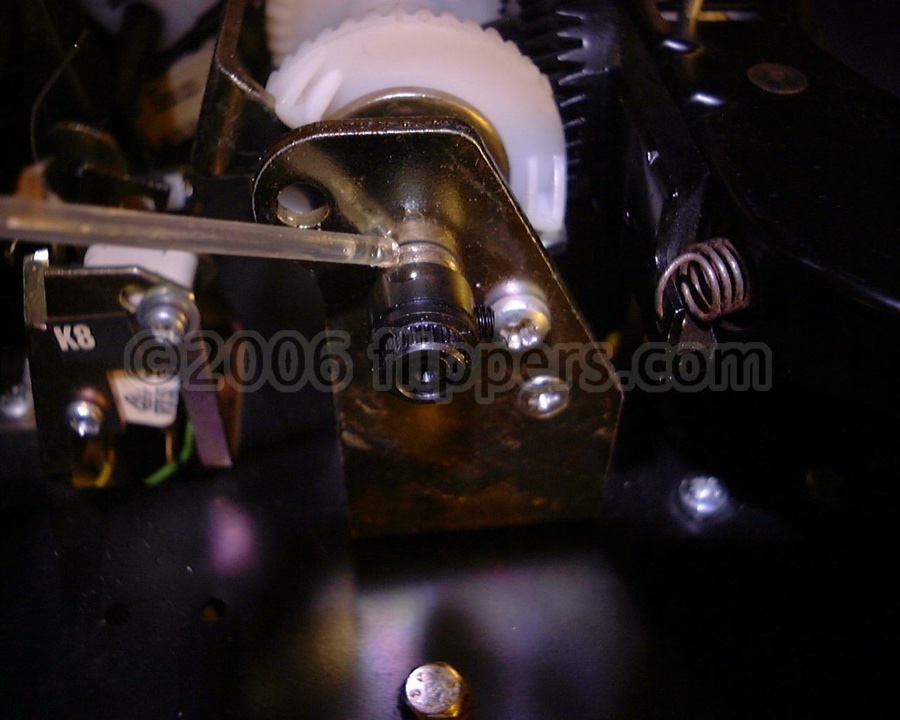 |
Oil the support end of the gripper arm drive shaft | 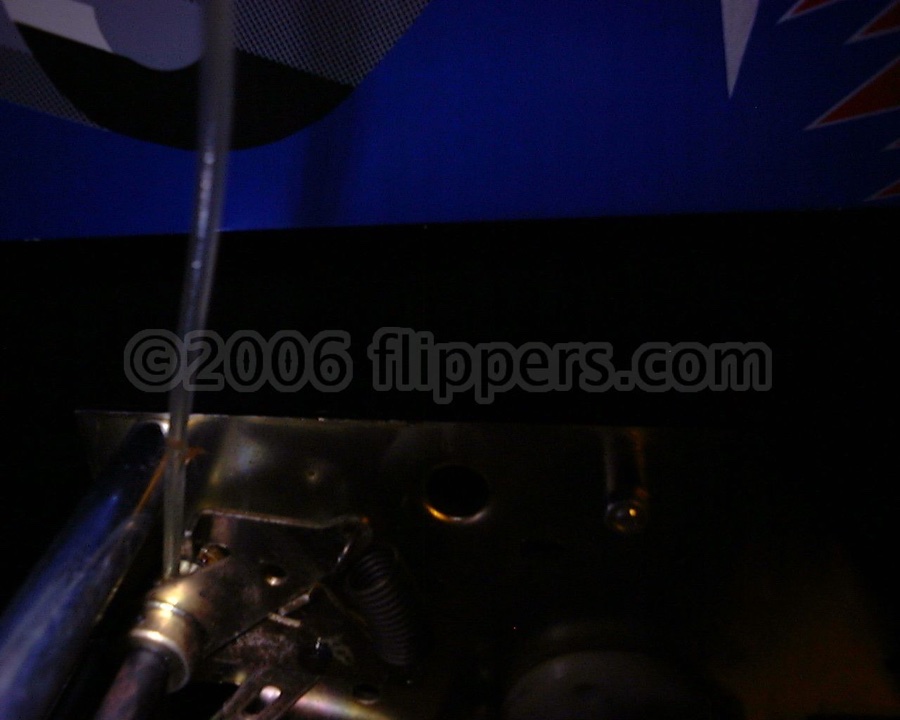 |
Take the gear box cover off and oil the record clamp release drive shaft linkages - also oil the (not shown) pivot of the lift assembly for the record/CD clamp arm. |
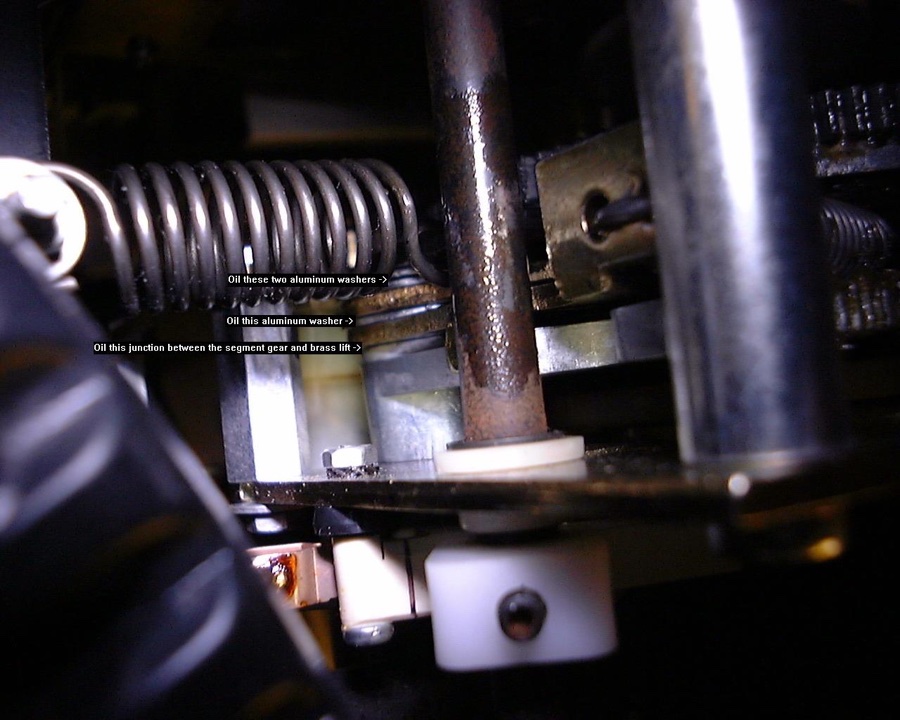 |
These are CRITICAL - oil the pivots for the segment gear that drives the gripper arm drive shaft! (details on picture) | 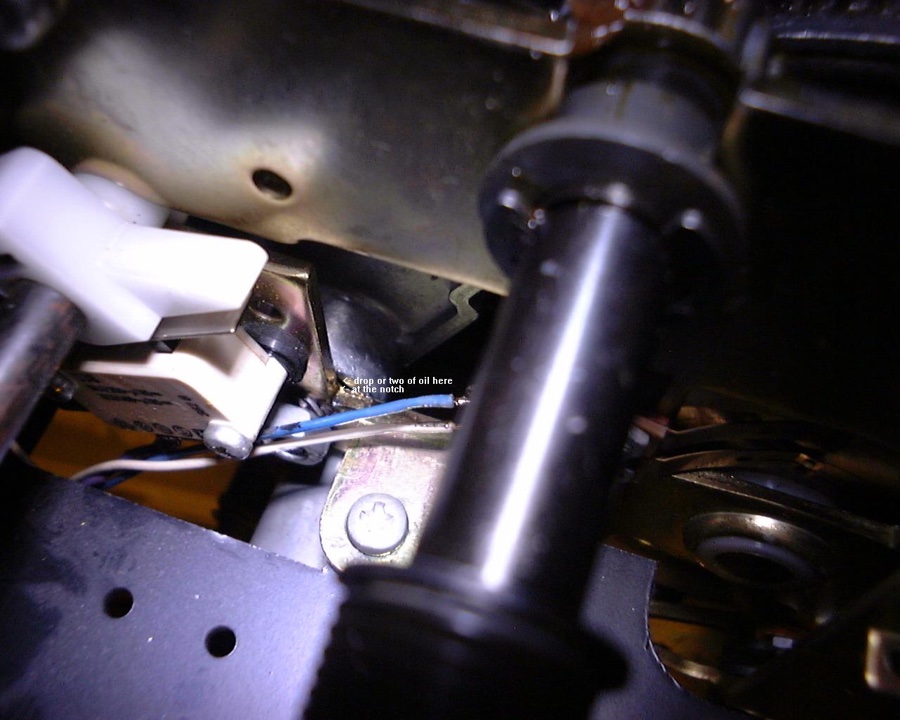 |
This oil spot is awkward, it is the bottom left corner of the rectangular notch beside microswitch K7 - this is the front of the pivot for the segment gear |
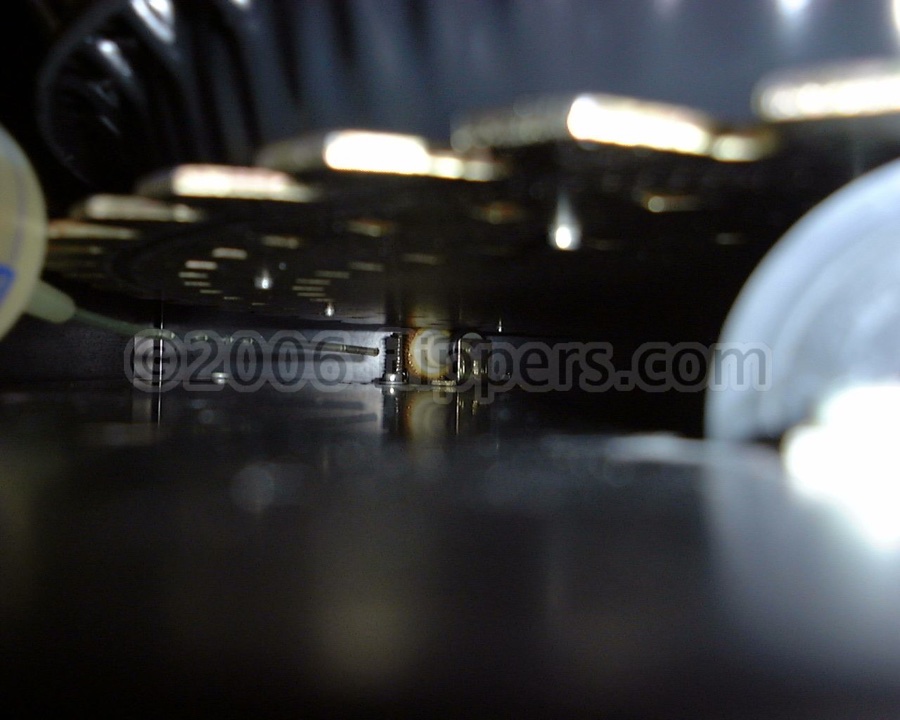 |
A couple of drops of oil on the drive shaft for the carousel motor (take a look at the black drive tire and replace if required) | 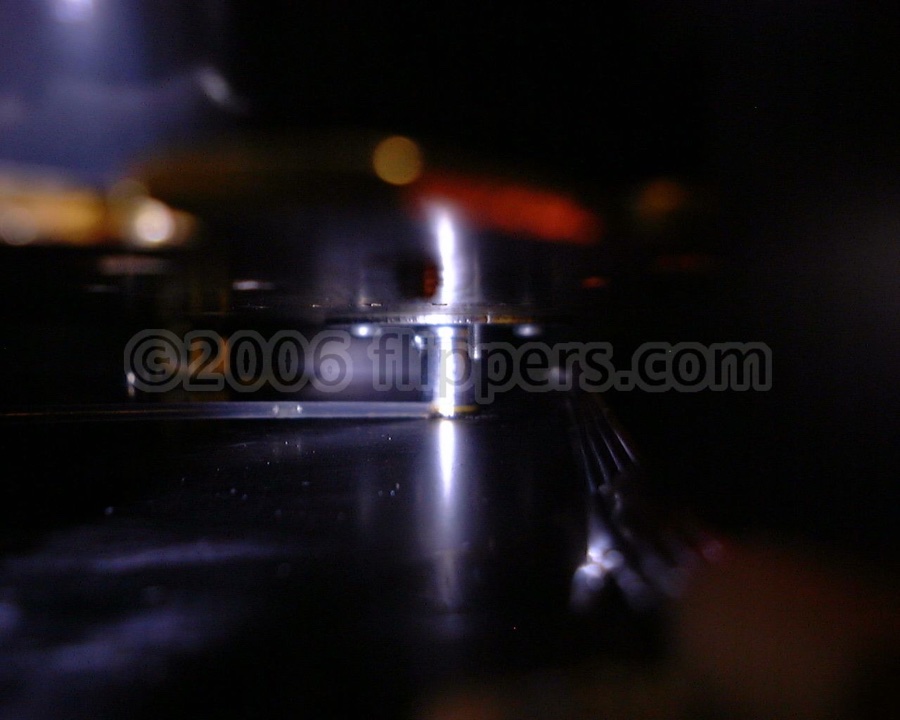 |
A drop of oil on the centre spindle of the carousel. |
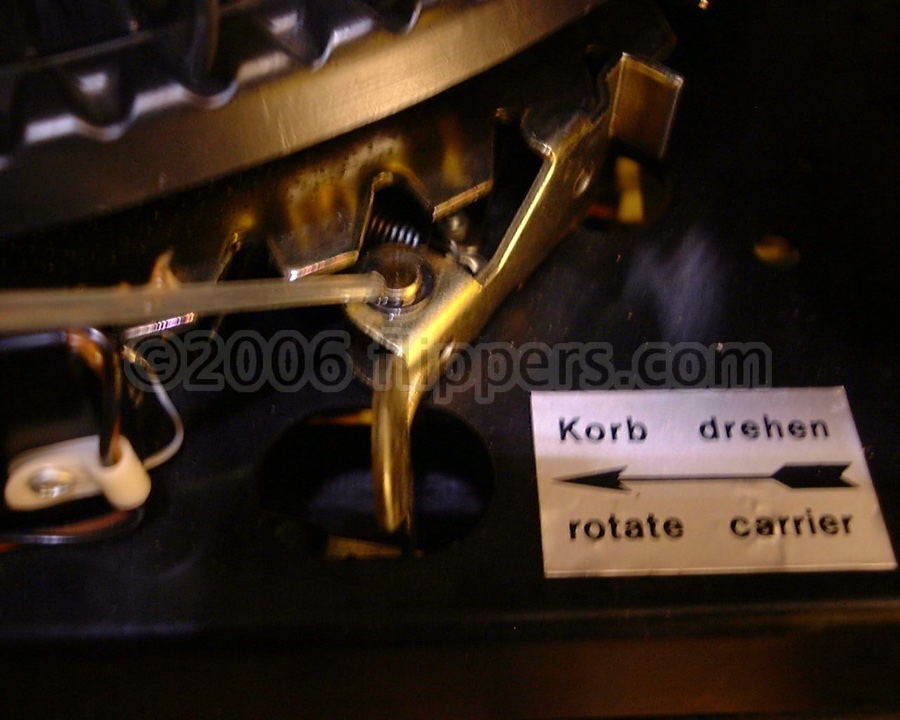 |
Two drops (one per half) on the latch on the front right of the carousel | 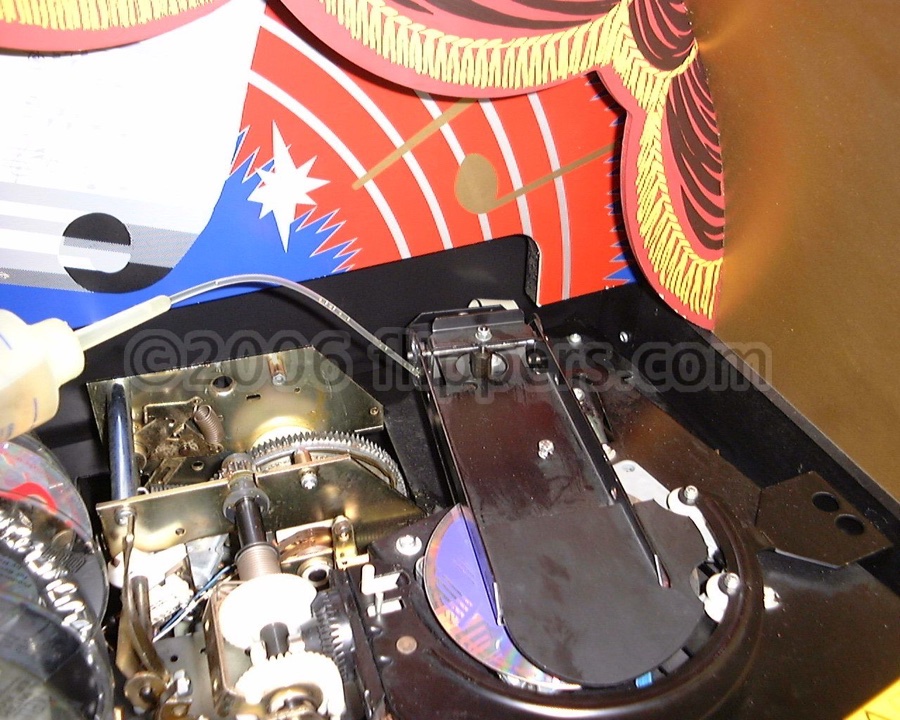 |
Oil the pivots for the record/CD clamp flap |
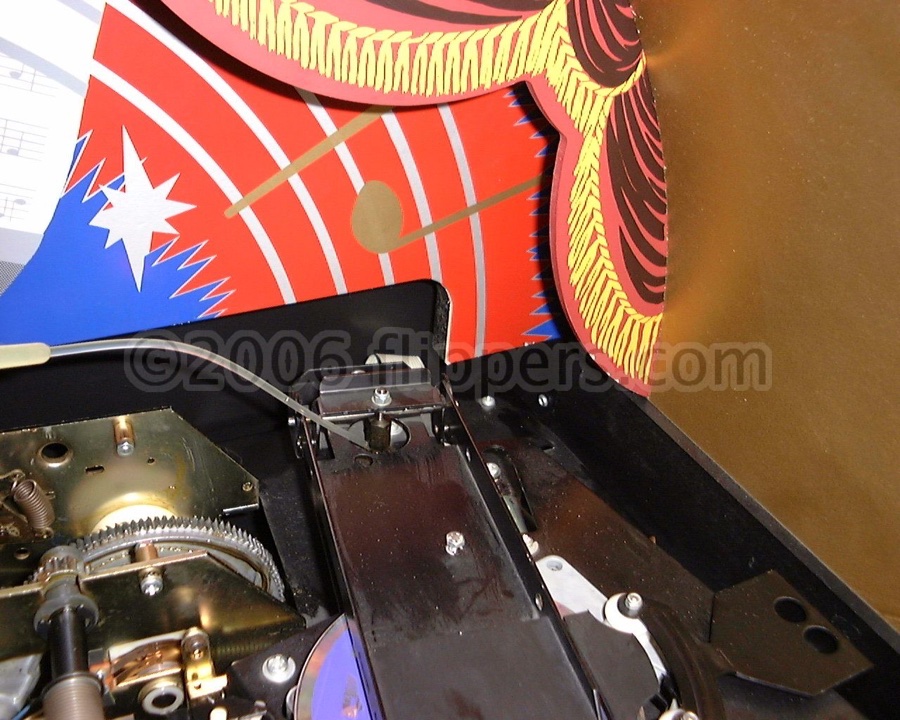 |
Oil the centre lift rod for the record/CD clamp flap. | 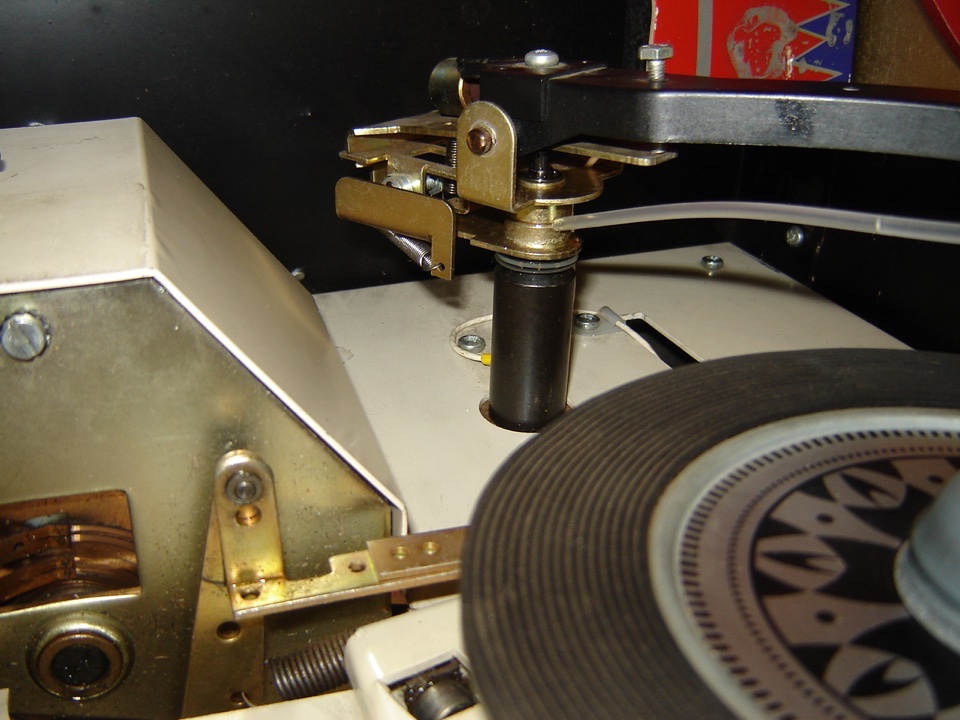 |
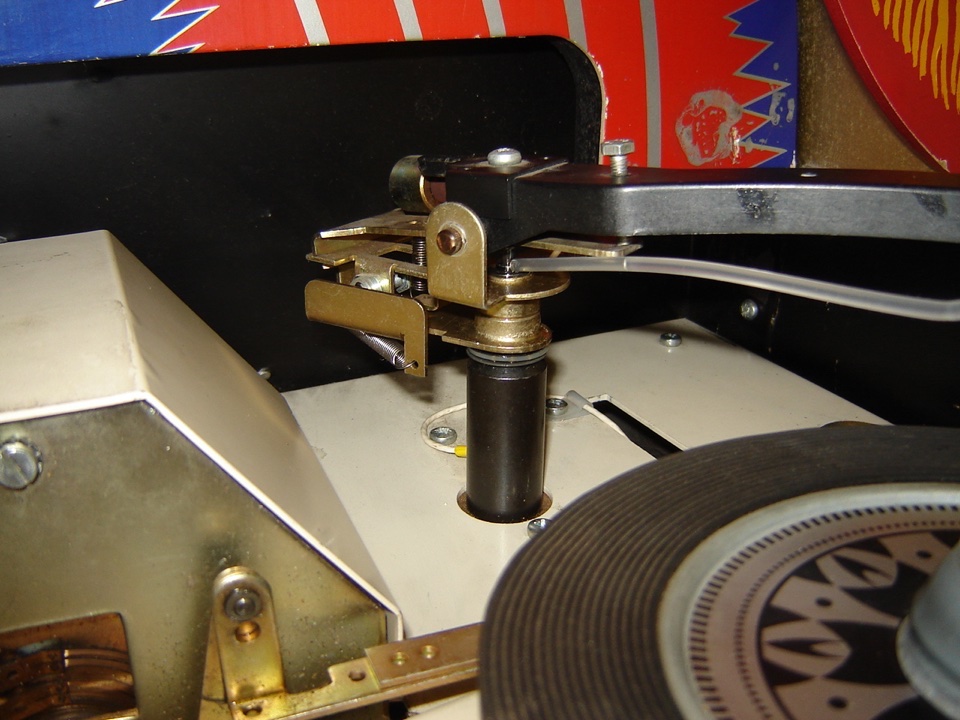
A drop of oil on your 45 tone arm pivot - symptom is the tone arm bounces across record, or starts later than usual on the record. |
 |
Another drop here... | 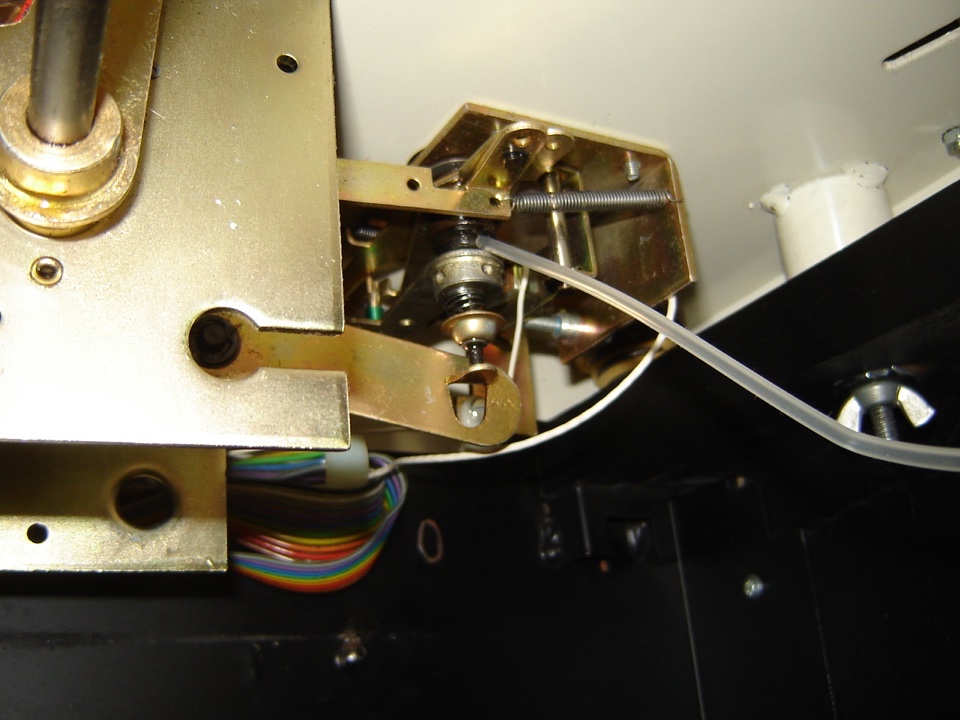 |
Take underneath black cover off to expose this oil spot... |
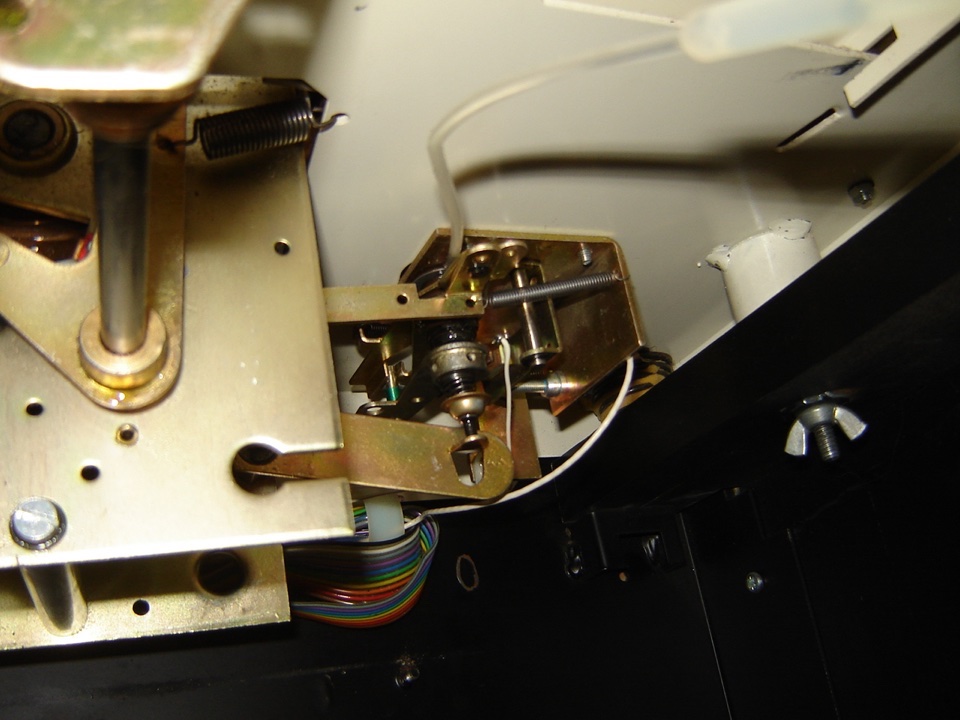 |
And this. | 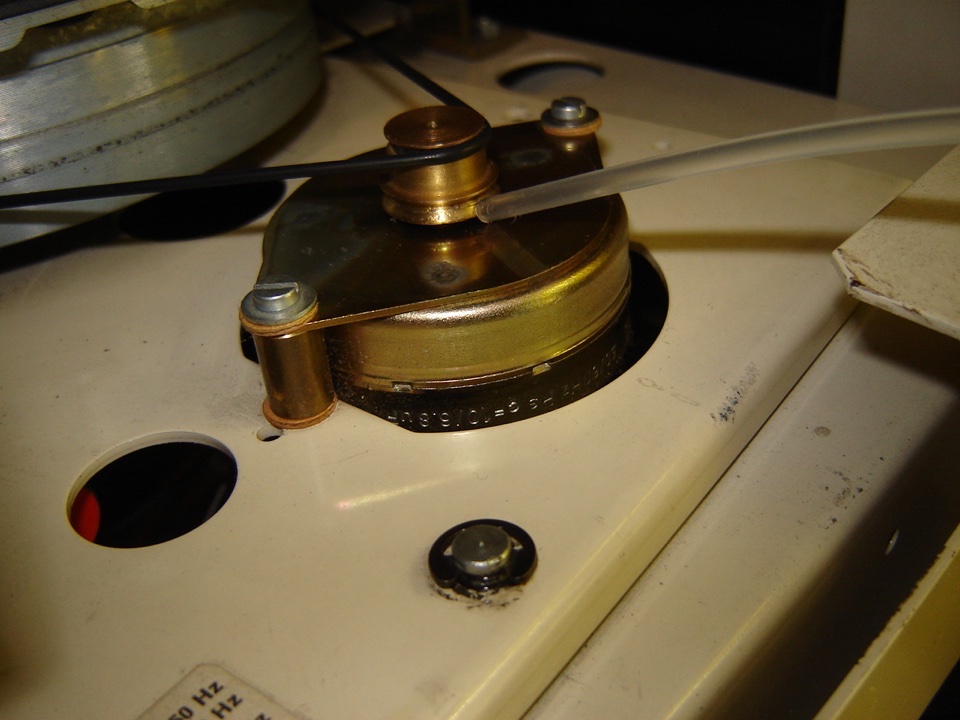 |
Lastly, a drop of oil on the motor spindle - you might want to raise the pulley to get at it as you do not want oil on the pulley! |
(jrr-at-flippers-dot-com for those who do not have their browser set to open their email client) |